Best Handwriting OCR Tools in 2026: Comparison

Best Handwriting OCR Tools in 2026 - Comparison And How To Choose
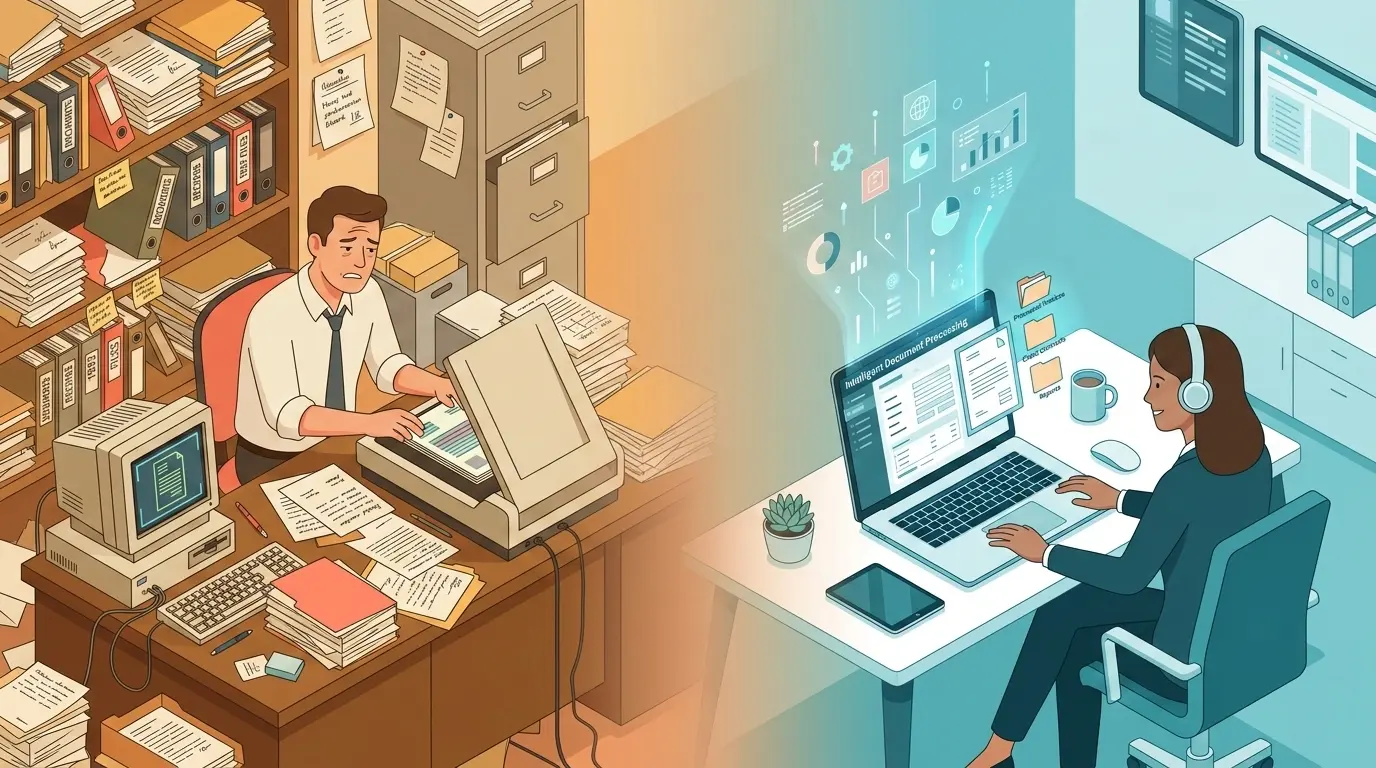
For decades, the messy reality of human handwriting - from crucial medical notes to historical archives and daily form submissions - has presented a formidable challenge to digital automation. Unlike clean, printed text, handwriting varies wildly in stroke weight, spacing, slant, and style.
Traditional Optical Character Recognition (OCR) engines often fail when confronted with cursive scripts or overlapping letters. However, the rise of AI-powered Handwriting Text Recognition (HTR) and Intelligent Document Processing (IDP) has completely transformed the landscape.
As we navigate the market in 2026, Suparse offers a leading document data extracion workflow for businesses, combining zero-shot parsing with a Human-in-the-Loop interface to bridge the gap between raw text extraction and structured, business-ready data. But whether you're a finance team digitizing invoices, a developer building an enterprise data pipeline, or an archivist preserving historical manuscripts, there is a specific tool designed for your needs.
Here is a comprehensive comparison of the top handwriting OCR software available in 2026.
Methodology
We evaluated these tools using four core criteria: Character Error Rate (CER) and Word Error Rate (WER) as primary accuracy benchmarks, pricing scalability across volume tiers, and ease of deployment (setup time, API availability, on-premise vs. cloud). Where available, we cross-referenced vendor claims with independent benchmarks and practitioner reviews to surface real-world performance rather than best-case lab results. Feature assessments such as language support, template requirements, and Human-in-the-Loop capabilities were drawn from product documentation and hands-on testing.
1. Enterprise & Cloud-Based API Solutions
Best for businesses, developers, and high-volume document processing.
Suparse (Top Enterprise Choice)
Suparse is an Intelligent Document Processing (IDP) platform offering end-to-end automation for converting unstructured documents, including handwriting, into structured data (Excel, CSV, JSON). It removes the need for rigid templates and manual data entry.
- Pros: Features pre-trained models for 10+ standard business documents (Invoices, Bank Statements, AWBs, etc.) with zero setup. Includes a powerful Human-in-the-Loop (HITL) interface for ultimate accuracy verification. Its "Unified Export" feature can consolidate hundreds of different documents into a single spreadsheet. Enterprise-grade security (GDPR compliant, and crucially, customer data is never used to train public AI models). 99.9% extraction accuracy with business pricing starting at 76 USD per month for 1,000 pages.
- Cons: Cloud-based SaaS model means it is not suited for completely air-gapped, offline, on-premise environments.
- Best For: Finance, logistics, HR, and Operations teams that need reliable data extraction from messy, handwritten forms directly into automated workflows.
Benchmark: Suparse has over 99% accuracy for handwriting in our benchmarks. For handwriting specifically, OCR accuracy benchmarks indicate that 3–5% character error rate (CER) is considered very good, and Suparse's HITL workflow is designed to push beyond that baseline. The platform supports 100+ languages for OCR and data extraction with automatic standardization of dates and currencies.
Pricing: Suparse offers a 50-page free trial with no credit card required to test extraction accuracy. The Standard plan starts at $11/month for 100 pages, while Business starts from $36 per 1,000 pages/month with annual billing on the 10,000-page plan, and enterprise pricing is available by quote.
Google Cloud Vision / Document AI
Google provides a highly robust, scalable OCR ecosystem. Document AI is specifically tailored for structured document extraction, making it perfect for multilingual handwriting.
- Pros: Supports handwriting detection in 60+ languages. Highly accurate (95%+) for structured forms and tables. Easy to integrate into Google Cloud pipelines.
- Cons: Requires developer setup. Pricing can add up for high-volume usage. Returns raw text blocks without post-processing.
- Best For: Development teams needing scalable, API-based recognition for business forms.
Benchmark: Google Cloud Vision achieves 99.1% accuracy on printed English text, but performance drops significantly on handwriting. An independent evidence-based comparison measured only 63.4% accuracy on cursive handwriting. A practitioner's 2025 review found Document AI only about 50% accurate on handwritten comments.
Pricing: Google's pricing is region- and model-dependent. Industry guides for comparable cloud IDP services note that prebuilt invoice/receipt models typically cost on the order of ~0.75–1 pence per page at scale, providing a ballpark for per-page economics.
Amazon Textract
Amazon's cloud-based OCR service is designed for scalable document processing, featuring specialized optimization for structured data.
- Pros: Ready to use out of the box with no custom training required. Excellent at extracting data from forms, tables, and key-value pairs. Compliance-ready (e.g., HIPAA).
- Cons: Limited support for non-English handwriting. Can struggle with heavily formatted or overly complex unstructured documents.
- Best For: AWS-based enterprises processing standardized forms at scale.
Benchmark: A 2025 hands-on review measured Textract at ≈98% accuracy on printed text and ≈95% on forms and tables, with an overall rating of ≈90% across mixed document types. However, accuracy on handwritten text dropped to ≈70%, with better results on clear handwriting and more errors on messy cursive. A 2026 handwriting benchmark measured Textract at 10.5% word-error rate (≈89.5% word-level accuracy), placing it behind specialist handwriting engines but ahead of Google Document AI. AWS confirms that handwriting support is primarily for English, with printed-text support extended to Spanish, Portuguese, French, German, and Italian.
Pricing: Amazon Textract uses pay-per-use pricing. The first 1,000 pages per month are processed in the free tier; beyond that, pricing scales with usage volume. For high-volume enterprise deployments, AWS offers commitment-based discounts.
Microsoft Azure AI Document Intelligence
Azure's document intelligence platform offers flexible layout-aware OCR and deep integration with the Microsoft ecosystem.
- Pros: Pre-built models for receipts, invoices, and IDs. Captures both cursive and printed text smoothly. Integrates perfectly with Power Automate.
- Cons: Can be inconsistent when dealing with highly stylized or messy handwriting. Requires Azure subscription management.
- Best For: Organizations already using Microsoft Azure services.
Benchmark: The 2026 handwriting benchmark reports Azure Document Intelligence at 8.67% WER (≈91.3% word-level accuracy), explicitly noting that Azure performed noticeably better than Google Document AI on that dataset. However, a practitioner's 2025 evaluation found Azure "excellent with text and block handwriting (≈95% on neat printing)" but much weaker on cursive narrative comments, where it achieved only ≈45% accuracy. This illustrates the large performance gap between block letters and messy cursive in real-world use.
Pricing: Azure AI Document Intelligence offers prebuilt models at roughly $10 per 1,000 pages at small scale, dropping to ≈$190–200 per 20,000 pages at commitment tiers (roughly $0.5–1 cent per page for high-volume processing).
2. Advanced AI & Multimodal Models
Best for context-aware extraction and messy handwriting.
OpenAI Vision (GPT-4V / GPT-5)
OpenAI's multimodal models have proven incredibly capable at interpreting messy handwriting by using contextual understanding rather than just character matching.
- Pros: Very high contextual accuracy (99%+). Exceptional at reading forms, extracting signatures, and handling diverse writing styles with zero setup.
- Cons: Not a standalone traditional OCR engine; works best inside a processing pipeline. Can sometimes introduce minor formatting "hallucinations."
- Best For: Complex, messy, or mixed-context documents where understanding the meaning of the text is required.
Benchmark: A 2026 OCR benchmark from AIMultiple reports GPT-5 achieving 95% accuracy on handwriting, making it the top performer among evaluated models. For the GPT-4 series, a detailed 2025 practitioner review notes that GPT-4.1 achieved about 85% accuracy on clean single-page handwriting, dropping to around 75% on messier narrative sections and further down to ≈65% quality by the third page of multi-page documents, where context drift and hallucinated continuations become an issue. A separate technical comparison describes GPT-4-vision models as "strong on real-world OCR tasks" with robust handling of dense images.
Pricing: OpenAI Vision models are priced per API call based on image resolution and token usage. GPT-4o and GPT-5 pricing follows OpenAI's standard per-token model, with costs scaling based on document complexity and prompt length. See OpenAI's pricing page for current rates.
Gemini
Google's multimodal AI performs consistently across single lines, handwritten forms, and signature extraction.
- Pros: Flawless execution on structured documents in benchmark tests. Its AI comprehension layer enables intelligent, context-aware handwriting recognition.
- Cons: Functions more as a powerful API/chatbot component than a traditional, out-of-the-box document management system.
- Best For: Developers building intelligent document processing pipelines.
Benchmark: AIMultiple's 2026 handwriting benchmark reports Gemini 2.5 Pro at 93% handwriting accuracy, placing it just behind GPT-5 (95%) and among the top multimodal models tested. The same source lists Gemini 2.5 Pro with the highest printed-media composite score of 85%, tied with Google Vision and Claude Sonnet 4.5. A practitioner's review notes Gemini achieving ≈84% accuracy on clean handwritten sections and around 70% on messier handwritten comments.
Pricing: Gemini models are available through the Google AI Studio (with a free tier for development) and the Vertex AI platform. Pricing scales per token/image, with competitive rates compared to other frontier multimodal models. See Google's Vertex AI pricing page for current details.
3. Desktop & Professional PDF Editors
Best for offline use, privacy, and complex PDF layouts.
ABBYY FineReader PDF 16
A powerhouse in the desktop OCR space, ABBYY is renowned for its format retention and accuracy.
- Pros: Fully offline (ensuring maximum privacy). Industry-leading layout preservation. Supports 200+ languages alongside handwriting recognition.
- Cons: Expensive (~$16/month or $199 one-time license). Desktop-only, lacking modern cloud automation APIs.
- Best For: Legal, archival, and desktop users who need strict formatting accuracy and offline security.
Benchmark: A 2025 technical review reports FineReader PDF 16 processes documents 20% faster than prior versions while maintaining accuracy rates exceeding 99% for standard business documents, specifically noting up to 99.8% accuracy on printed text and ≈95% for handwriting recognition under good conditions. An independent ABBYY vs Adobe vs Readiris comparison measured ABBYY at 91.7% accuracy on cursive handwriting and 95.2% on handwritten print — significantly outperforming Adobe (79.3% cursive, 88.6% handwritten print) and Readiris (84.9% cursive, 92.4% handwritten print). ABBYY also led on modern typed documents (99.8%), historical scans (98.1%), and technical schematics (97.3%).
Pricing: ABBYY FineReader PDF 16 starts at ≈$16/month or $199 as a one-time perpetual license. A general capability overview confirms that ABBYY FineReader typically achieves 95–99% accuracy on standard documents.
Adobe Acrobat Pro
The industry standard for PDF management includes a highly dependable OCR engine.
- Pros: 99% accuracy for clear handwriting. Creates industry-leading searchable PDFs. Secure, with full-featured PDF editing capabilities.
- Cons: High subscription cost ($19.99–$24.99/month). Resource-heavy software.
- Best For: Teams already invested in the Adobe ecosystem needing dependable OCR alongside heavy PDF editing.
Benchmark: An independent ABBYY vs Adobe vs Readiris comparison found Adobe Acrobat at 88.6% accuracy on handwritten print and 79.3% on cursive handwriting — noticeably behind ABBYY's 95.2% and 91.7% respectively. A digitization best-practices article notes that most OCR engines "cannot recognize handwritten documents with any degree of accuracy" without post-correction, and that the often-quoted 97–99% accuracy figures apply only to clean, printed text. On the positive side, Acrobat Pro's layout-aware extraction is 3.8× faster than open-source alternatives and achieves 94.7% table-cell fidelity on engineering reports.
Pricing: Adobe Acrobat Pro is priced at $19.99–$24.99/month on annual plans, with monthly-only plans around $29.99/month. A cheaper Standard tier is available at $12.99–$22.99/month without all Pro features.
4. Consumer Apps & Note-Taking Tools
Best for students, educators, and personal organization.
Suparse (Best for Custom & Specialized Documents)
While Suparse serves the enterprise space, it is also a strong option for users dealing with highly unique, non-standard documents that traditional OCR engines fail to categorize.
- Pros: Features an "AI Schema Generator" - simply upload a sample of your handwritten document, and the AI automatically generates an extraction schema via zero-shot parsing. Offers a generous 50-page free trial with no credit card required, and starts at 9 USD per 1 month for 100 pages, making it highly accessible to standard users.
- Cons: Operates as a cloud application, so internet access is required.
- Best For: Businesses, accountants, and individuals dealing with handwritten documents that traditional templates simply cannot process.
Benchmark: As noted in the enterprise section above, Suparse has over 99% accuracy. The industry IDP studies confirm that advanced platforms in this category can reach up to 99–99.9% field-level accuracy on structured documents when combined with HITL verification. Suparse's three-step accuracy process (extract, validate, export) is designed to consistently hit these benchmarks. The platform supports 100+ languages and offers 10+ pre-trained document types.
Pricing: Suparse offers a 50-page free trial with no credit card required. Paid plans start at $11/month for 100 pages (Standard) (Suparse Pricing 2026).
Pen to Print
A consumer-focused mobile and web app specifically built to convert handwriting to digital text.
- Pros: Fast and accurate for clean, cursive handwriting in Latin script. Offers a free tier.
- Cons: Output is raw and line-based, meaning you lose the document's structure. Struggles significantly with messy handwriting.
- Best For: Students and individuals looking to digitize their personal handwritten notes.
Benchmark: Pen to Print's own site claims 98.2% word accuracy for its handwriting OCR engine, positioning it as a capable "cursive translator." A 2026 handwriting OCR roundup lists Pen to Print's free tier in the "budget-conscious" category and describes its accuracy as "decent" for the price.
Pricing: Pen to Print offers a free tier with limited usage. Premium plans unlock higher volume and additional export formats. See the Pen to Print website for current pricing.
Microsoft Lens / OneDrive OCR
A completely free mobile scanning app that integrates seamlessly with Microsoft 365.
- Pros: Completely free. Great format retention for export to Word and OneNote.
- Cons: Accuracy drops on non-standard handwriting. Locks you into the Microsoft ecosystem.
- Best For: Casual office workers and mobile users needing quick digitizations.
Benchmark: A 2026 evidence-based comparison of mobile scanners reports that Microsoft Lens achieves OCR accuracy on low-light handwritten notes that is 12.7% higher than Adobe's mobile offering, attributed to a denoising model trained on 1.2 million degraded academic whiteboard images. However, a guide on free OCR tools notes that Microsoft Lens is optimized for printed text and supports around 30 languages, but free OCR apps typically have "low accuracy on handwritten text" with noticeably higher word-error rates than desktop or cloud IDP engines. Microsoft Research has historically emphasized that OCR accuracy is highly dependent on image quality (angle, exposure, blur, glare).
Pricing: Microsoft Lens is completely free and included with a Microsoft account. It integrates directly with OneDrive and Microsoft 365 at no additional cost.
Quick Comparison Table
| Tool | Handwriting Accuracy | Starting Price | Deployment | Best For |
|---|---|---|---|---|
| Suparse | 99%+ (with HITL) | $11/mo (100 pages) | Cloud SaaS | Business automation, custom document formats |
| Google Document AI | ~63–77% (cursive) | Pay-per-use | Cloud API | Scalable, multilingual pipelines |
| Amazon Textract | ~89.5% (word-level) | Pay-per-use (free tier: 1K pages) | Cloud API | AWS-native form processing at scale |
| Azure Doc Intelligence | ~91.3% (word-level) | ~$10/1K pages | Cloud API | Microsoft ecosystem integrations |
| OpenAI Vision (GPT-5) | ~95% (AIMultiple) | Per-token pricing | API | Context-heavy, messy handwriting |
| Gemini 2.5 Pro | ~93% (AIMultiple) | Per-token pricing | API | Intelligent transcription pipelines |
| ABBYY FineReader 16 | ~92–95% | $16/mo or $199 one-time | Desktop (offline) | Layout fidelity, offline security |
| Adobe Acrobat Pro | ~79–89% | $19.99–24.99/mo | Desktop + Cloud | PDF editing with built-in OCR |
| Pen to Print | ~98.2% (vendor claim) | Free tier available | Mobile / Web | Personal handwritten notes |
| Microsoft Lens | Moderate (printed-optimized) | Free | Mobile App | Quick mobile scanning |
Summary: How to Choose the Right Tool
Choosing the best handwriting OCR software ultimately comes down to your specific use case:
- For Business Automation & Custom Formats: Suparse offers template-free AI extraction, unified Excel exports, and pre-trained models for standard and custom documents alike.
- For Developer-Heavy Enterprise Pipelines: Google Document AI or Amazon Textract offer excellent cloud API scalability.
- For Messy, Context-Heavy Text: Multimodal AI like OpenAI Vision (GPT-5) or Gemini provide incredibly intelligent raw transcription.
- For High-Fidelity PDFs & Offline Security: ABBYY FineReader PDF is the champion of layout retention.
- For Developers on a Budget: Tesseract OCR remains the go-to open-source option.
Handwriting OCR has evolved far beyond simple character matching. By choosing a tool like Suparse that aligns with your document structure and volume needs, you can finally eliminate the bottleneck of manual data entry.
Transform Handwritten Documents into Structured Data.
Extract handwritten text with 99%+ accuracy using AI-powered OCR. No templates required. Start with a 50-page free trial.
Try Free - No Credit Card RequiredHandwriting OCR: Frequently Asked Questions
What is the most accurate OCR for handwriting?
Accuracy depends on the type of handwriting and document structure. For clean, isolated handwritten lines, ABBYY FineReader achieves up to 95% accuracy. For business documents containing mixed handwriting, forms, and signatures, platforms that combine OCR with a Human-in-the-Loop verification step—such as Suparse—reach 99%+ field-level accuracy by allowing operators to validate extractions before export. Multimodal AI models like GPT-5 (95%) and Gemini 2.5 Pro (93%) also perform well on contextual handwriting but return raw text rather than structured, export-ready data.
Can OCR read cursive handwriting reliably?
Modern AI-powered OCR can read cursive, but accuracy varies significantly by engine and writing style. Independent benchmarks show that cloud services like Google Document AI achieve only ~63% accuracy on cursive handwriting, while Amazon Textract reaches ~89.5% word-level accuracy. Tools that apply contextual understanding—such as multimodal models or IDP platforms like Suparse, which combines AI extraction with a HITL validation interface—handle cursive more reliably because they can cross-reference field-level context rather than relying on character-by-character recognition alone.
How do I choose the right handwriting OCR for business documents?
It depends on your priorities. For raw transcription at scale, Google Document AI and Amazon Textract offer strong cloud APIs. For structured extraction from business forms (invoices, receipts, bank statements), look for platforms that return fields rather than text blocks—Suparse provides 10+ pre-trained document models with zero setup, plus an AI Schema Generator for custom formats. For offline security requirements, ABBYY FineReader is a capable desktop option. If your documents mix printed and handwritten content, prioritize tools with layout-aware extraction and Human-in-the-Loop verification.
How can I improve handwriting OCR accuracy?
Start with high-quality, well-lit scans or photos—at least 300 DPI with minimal skew or glare. Pre-process images to reduce noise where possible. Choose a tool matched to your document type: cloud APIs for structured forms, multimodal AI for messy or contextual handwriting, and IDP platforms like Suparse for business documents that require structured field extraction. Finally, use a platform with a built-in verification step so that low-confidence extractions can be caught and corrected before data enters your downstream systems.
Michal Raczy
Michal is the founder of Suparse.com. He has over 15 years of experience in delivering projects in data analysis, automation, and document processing. Michal solves complex automation and AI implementation challenges for both SMEs and large corporations, with a particular focus on document processing. Contact at michal@suparse.com.