
Automate Your Document Extraction In Procure-to-Pay Workflow
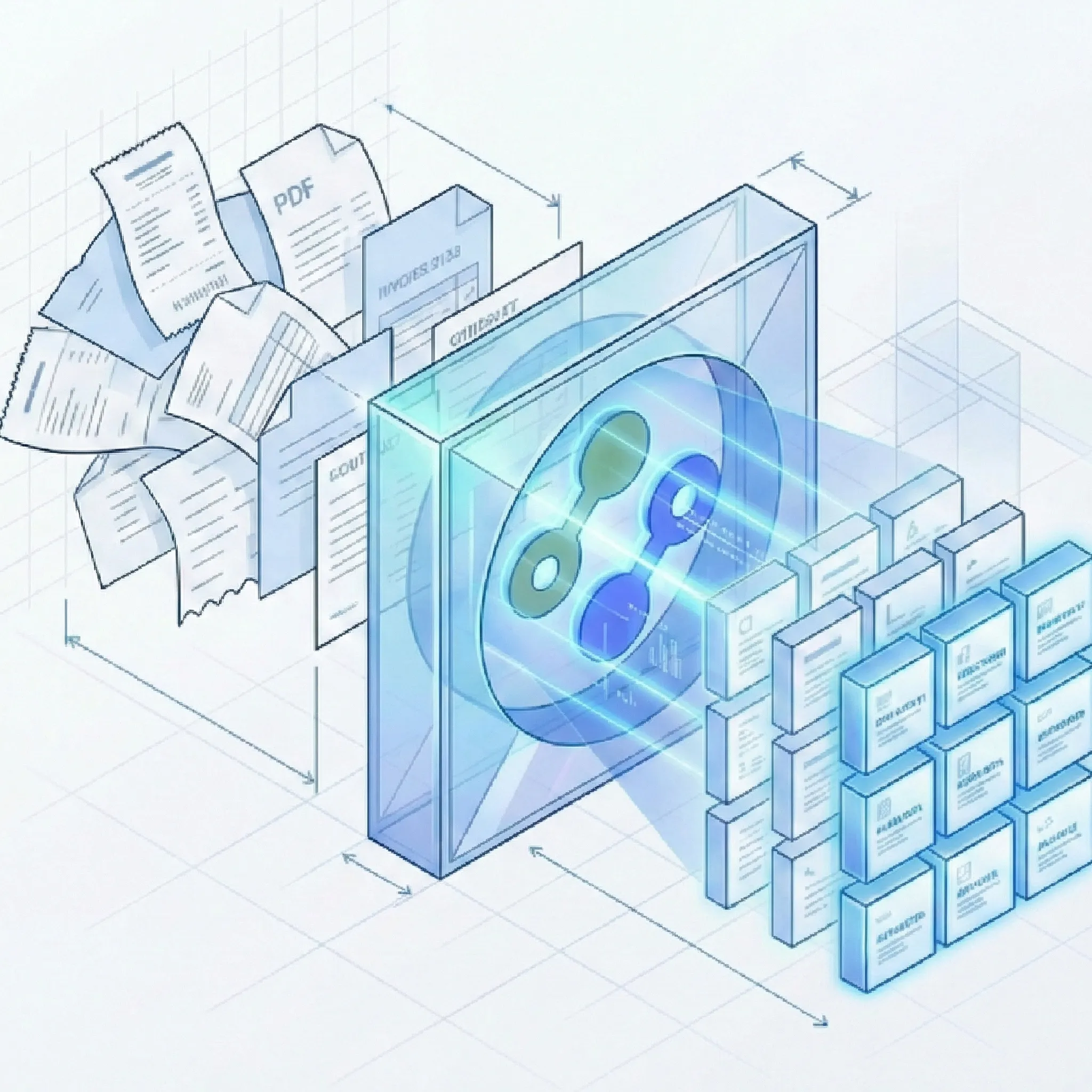
Suparse's AI-powered AP automation processes the full spectrum of AP documents-Contracts, Invoices, Purchase Orders, Goods Receipt Notes, Credit Notes, Utility Bills, and Vendor Statements. Enable true 3-way matching by extracting structured data from all core documents. Use Autopilot for unknown document types, upload mixed batches, validate results, and export unified Excel files.
- Pre-trained & fully customizable extraction models
- End-to-end encryption, processing in the European Union
- No credit card required to start
Manual AP Processing is Costing You More Than Just Time
The Intelligent AP Automation Platform Built for Finance Teams
Suparse isn't just another OCR tool. It's a complete document-to-data solution that eliminates manual data entry across your entire procure-to-pay workflow-from PO creation through payment execution.
Complete AP Document Coverage
- Pre-Trained Invoice Model: Captures vendor name, invoice number, date, line items (SKU, description, quantity, unit price), subtotal, taxes, and total with zero setup. Invoice OCR Converter. For a broader market overview, see our invoice scanning software comparison for 2026.
- Purchase Order Extraction: Extract PO number, order date, vendor info, billing/shipping addresses, line items, delivery dates, and payment terms for settlement verification. More on PO extraction.
- Goods Receipt / Delivery Note Processing: Capture delivery note number, date, PO reference, carrier info, recipient details, line items (SKU, description, quantity, batch/lot), and signatures.
- Supporting Documents: Process Credit Notes, Energy Bills, Tax Forms, Vendor Statements, and custom AP documents with pre-trained models or AI-generated schemas. For example, delivery note processing. For receipt-specific tooling, see our top receipt OCR tools comparison for 2026.
Settlement Verification Automation
- Structured Data for Matching: Extract PO numbers, line item quantities, prices, and totals from all three documents (PO, GRN, Invoice) in consistent formats for automated comparison.
- Discrepancy Detection: Export unified datasets that make it easy to identify quantity variances, price differences, and missing deliveries using Excel, your ERP, or accounting software.
- Batch Processing for All Document Types: Upload mixed batches of POs, delivery notes, and invoices simultaneously. Process hundreds in parallel with automatic classification and schema assignment.
- Unified Export for Multiple Documents of the Same Type: Export all documents of a given type to a single Excel file with normalized column structures, enabling comparison and verification.
Automated Processing & Splitting
- Email body & attachment parsing: Forward invoices, purchase orders, and delivery notes to a dedicated Suparse email address. Extract data from attachments, the email body, or both, using a specific document type or Email Autopilot. Skip downloading and uploading files one by one.
- Automatic Document Splitting: Upload a single PDF containing 100 mixed documents (invoices, POs, delivery notes) and our AI automatically splits them into individual documents for processing. Splitting has no additional cost.
- High-Volume Batch Processing: Upload hundreds of AP documents at once and process them in parallel, turning hours of work into minutes.
- Auto-Classification: System identifies document types (Invoice, PO, Delivery Note, Credit Note, etc.) and assigns the correct extraction schema automatically.
- Image Enhancement: Corrects skew, blur, poor lighting, and low resolution for reliable extraction from scanned documents.
Data Validation & Verification
- Human-in-the-Loop Review: Side-by-side interface lets you verify extraction results against original documents before export-critical for high-value or suspicious invoices.
- Built-in Validation Rules: Configure automated checks like 'Total must equal sum of line items' and mandatory field enforcement across all document types. See the practical rules that stop AP errors and duplicate invoices.
- Cross-Document Verification: Export structured data from POs, GRNs, and invoices in normalized formats for easy comparison and discrepancy detection in your ERP.
- Uniform Data Format: Extract data in consistent structure across all document types, making it easy to identify duplicates during reconciliation and match documents to each other.
- Searchable AP data: Find invoice numbers, vendors, amounts, PO references, and transaction text across processed documents with text and number search.
Seamless Integration & Export
- Webhooks for your workflow: Send extracted AP document data to your ERP or procure-to-pay workflow when processing completes. Subscribe by document template and upload source to route the right results to the right system.
- Unified Excel Export: Combine hundreds of documents (invoices, POs, delivery notes) into a single structured spreadsheet for simplified reconciliation and verification.
- Cross-Document Export: Export all document types with normalized column structures, enabling you to compare POs, delivery notes, and invoices side-by-side in Excel or your ERP.
- Developer-Friendly API: Automate your entire procure-to-pay workflow with our comprehensive REST API for direct system integration.
- Multiple Format Options: Export as Excel (.xlsx), CSV, or JSON depending on your downstream system requirements.
- One-tab and background exports: Combine general fields and line-item tables in XLSX (one tab), while large exports run on the Exports page with retry and recreate options.
Real-World Impact for AP Teams Across Industries
See how AP managers, controllers, and CFOs transformed their procure-to-pay operations with Suparse-from invoice processing to complete 3-way matching automation.
Frequently Asked Questions
What AP document types does Suparse support beyond invoices?
Suparse supports the complete procure-to-pay document spectrum. Pre-trained models are available for **Invoices, Purchase Orders, Delivery Notes (Goods Receipt Notes), Receipts, Bank Statements, Tax Forms, Energy Bills, Credit Notes, Quotes. For custom AP documents like remittance advices, payment vouchers, or vendor statements, use our AI Schema Generator to create extraction rules in minutes-no manual configuration required.
How can Suparse help with 3-way matching (PO + GRN + Invoice)?
Suparse extracts structured data from all three core documents-Purchase Orders, Goods Receipt Notes/Delivery Notes, and Invoices-in normalized, consistent formats. Simply upload mixed batches of all document types, and our system will classify and extract the appropriate fields (PO numbers, line items, quantities, prices, totals). Export everything to unified Excel files or CSV, then use Excel formulas, your ERP system, or accounting software to automatically compare and flag discrepancies like quantity variances or price differences.
How does Suparse handle multi-document PDFs with many invoices?
Suparse's AI automatically detects document boundaries within multi-page PDF files and splits them into individual documents for processing. Simply upload a single PDF containing hundreds of invoices or mixed documents, and our system will identify where one document ends and the next begins. Each split document is then processed in parallel with the correct extraction schema, eliminating the need for manual splitting. For a detailed guide, see our article on how to automatically split PDFs with multiple invoices.
Can Suparse process documents from international suppliers in different languages and currencies?
Absolutely. Suparse supports 100+ languages and automatically normalizes different currency and date formats. Whether you're processing invoices, POs, or delivery notes from suppliers in Europe, Asia, or the Americas, our AI extracts and structures the data consistently, making it easy to manage a global AP workflow from a single platform.
How do I handle custom AP documents like remittance advices or payment vouchers?
Use Suparse's AI Schema Generator for custom document types. Simply upload a sample document (e.g., a remittance advice or payment voucher), and our AI will analyze the layout and generate an extraction schema automatically. You can then fine-tune the fields, add custom data types, and process all similar documents in bulk. This takes minutes-no technical expertise or manual configuration required.
Do I need to create templates for each new supplier's document format?
No. We provide pre-built models for invoices, POs, and delivery notes that work instantly on any format. Our AI adapts to different layouts automatically-no manual configuration required. If you need to capture custom fields like 'Project Code', 'GL Account', or 'Cost Center', simply extend the model through our interface or use AI Schema Generation to create custom extraction rules.
How does the Human-in-the-Loop verification workflow work?
After AI extraction, you'll see a side-by-side interface with the original document on one side and extracted data on the other. Review and edit any fields directly in place and leave comments for team members. All changes are tracked with full audit logs. Once verified, export the data in your preferred format. This is particularly valuable for high-value invoices or documents flagged for discrepancy during 3-way matching.
Can my team work on the same batch of AP documents?
Yes. Suparse is built for teams. You can invite members, assign roles, and work simultaneously on verifying batches of invoices, POs, and delivery notes in our shared workspace. Team members can review fields, leave comments for each other, and track changes with full audit logs-perfect for distributed AP departments handling high volumes of documents.
What export formats are available?
Suparse supports Excel (.xlsx), XLSX (one tab), CSV, JSON, Google Sheets, and QuickBooks-ready exports. The one-tab workbook combines general fields and line-item tables in one worksheet. Large exports can run in the background on the Exports page, where you can download ready files, retry failures, or recreate an export from current filters.
Is my company's financial data secure with Suparse?
Absolutely. All data is protected with end-to-end encryption, both in transit and at rest. Our platform is built on enterprise-grade cloud infrastructure with security controls. You always have full control over your documents-delete them at any time, and we never train our AI on your customer data. Your documents are never used to improve our public models.
What types of documents can Suparse process?
Suparse handles virtually all document formats. Supported inputs include PDF, JPEG, PNG, HEIC, HEIF, TIFF, and WEBP files, including native PDFs, scans, photos, and complex multi-page documents. Password-protected PDFs can prompt for a password during upload.
Can AP teams organize and search processed documents?
Yes. Create team folders, choose a folder during upload, move selected documents or all documents matching current filters, and filter the Documents list by folder. Search extracted text and numbers, including invoice numbers, vendors, amounts, and PO references.
How quickly can we see ROI from AP automation with Suparse?
Most organizations see immediate ROI within the first month. The 50-80% reduction in manual processing time allows your team to focus on higher-value activities like vendor relationship management, discrepancy analysis, and strategic financial planning. Combined with the ability to process backlogs in hours rather than days, enable 3-way matching, and reduce error rates, the cumulative benefits create substantial ongoing value for your finance department.
Does Suparse automatically detect duplicate invoices or matching POs?
Suparse extracts data in a uniform, consistent format across all document types, making identification and matching much easier. You can export structured data with vendor names, PO numbers, invoice numbers, dates, amounts, and line items, then use Excel pivot tables, your ERP system, or accounting software to flag potential duplicates, match invoices to POs, and compare quantities against delivery notes based on your business rules.
Try Purchase Document Processing Now
Stop manual data entry across invoices, POs, and delivery notes. Enable true 3-way matching with structured data from all AP documents. Process mixed document batches automatically and export unified Excel files ready for your accounting system. Start automating today with 50 free pages.
Process 50 Pages Free