
Best Bank Statement Converter in 2026: 11 Tools Compared

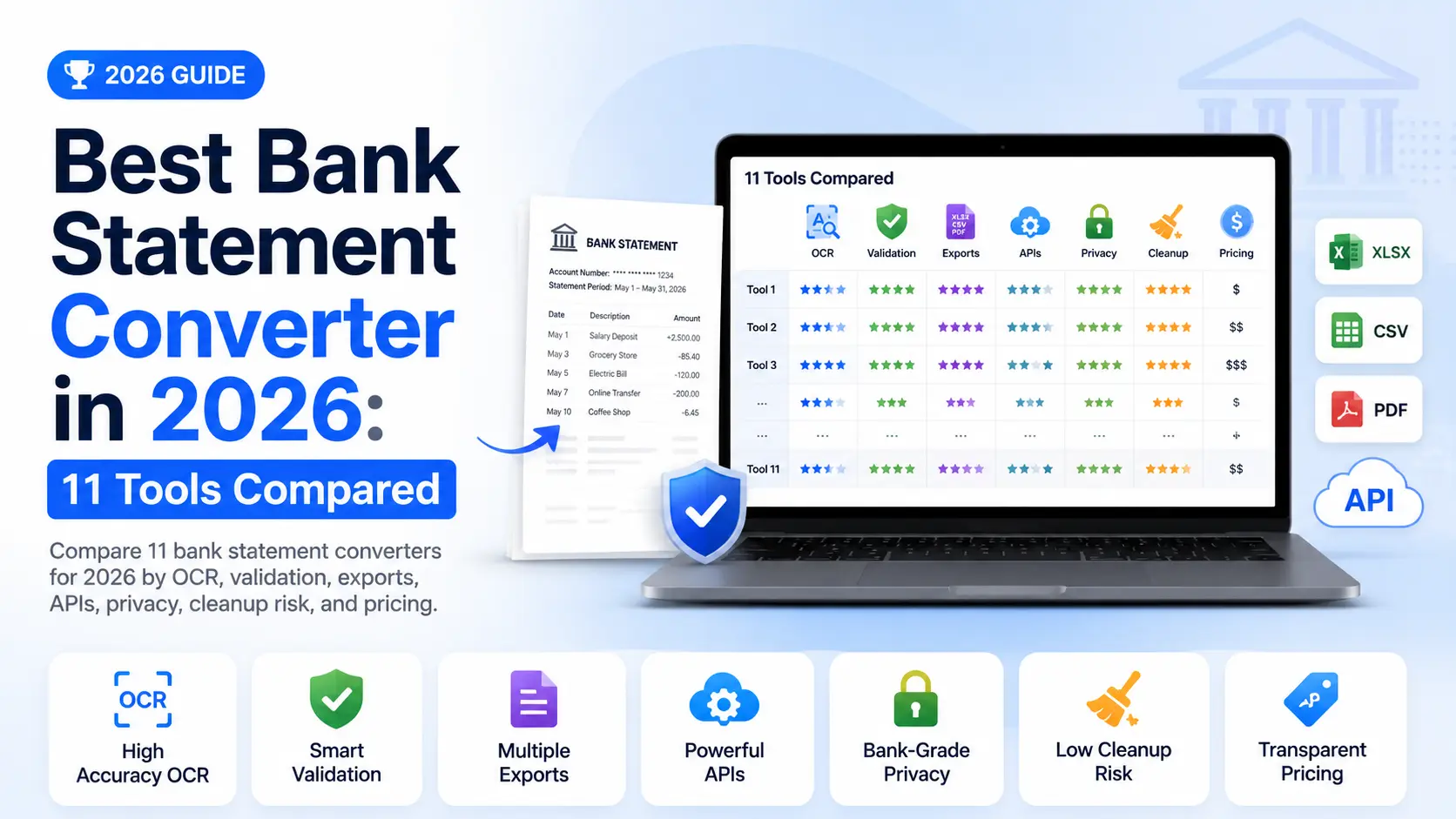
Best Bank Statement Converter in 2026: 11 Tools Compared
In 2026, the best bank statement converter is not the tool that creates a CSV fastest. It is the tool that preserves every transaction row, keeps signs and balances correct, and gives finance teams a way to verify the output before import.
Bank statement conversion still looks simple from the outside. Upload a PDF. Download Excel. Done? Not quite. Accountants, lenders, and finance operators know the real risk starts when a converter drops one row, reverses a debit, or treats an opening balance as a transaction. EY benchmark found that 59% of financial department resources go to transaction processing, and 95% of that effort is spent on transactions that already match, not on the exceptions that actually need attention.
We compared 11 tools across scanned PDF support, transaction extraction, validation, exports, bulk processing, privacy, pricing, and API availability. We also reviewed high-ranking competitor pages from BankStatement.to, DocuClipper, Tofu, and Wesley to identify what buyers still need: less "instant CSV" language and more clarity about review, cleanup, and downstream risk.
If you are new to the workflow, start with our guide to converting PDF bank statements to Excel, then use this article to choose a tool.
Key Takeaways
- Suparse is the best overall choice for template-free bank statement OCR, validation, and flexible exports with the best cloud automation pricing.
- The real comparison is cleanup time, not upload speed.
- Pricing models vary by page, document, credit, conversion, desktop license, or API credit.
- Desktop tools win when no data can leave the machine.
- Generic PDF converters are acceptable only for clean, one-off statements.
Quick Answer: Which Bank Statement Converter Is Best?
For most accounting, lending, and finance operations teams, Suparse is the best bank statement converter in 2026 because it combines OCR, row review, validation, bulk processing, and exports to Excel, Google Sheets, CSV, JSON, and QBO. The right alternative depends on your destination workflow.
| If You Need... | Choose | Why |
|---|---|---|
| Best overall bank statement OCR and review | Suparse | Template-free extraction, validation, bulk processing, and flexible exports |
| Direct accounting integrations | DocuClipper | Strong QuickBooks, Xero, Sage, and finance-document positioning |
| QuickBooks QBO conversion | MoneyThumb | Specialist conversion for QuickBooks and related bank formats |
| Offline desktop processing | ProperSoft or Able2Extract | Better fit when bank data cannot be uploaded |
| Developer API building blocks | PDF.co, Docparser, Nanonets | Useful when you are building a custom workflow |
The short answer is this: choose Suparse when the output must be reviewed, validated, and reused across Excel, Sheets, CSV, JSON, or QBO. Choose a narrow converter only when you already know the destination format and will manually check the result.
What Makes the Best Bank Statement Converter in 2026?
The best bank statement converter should be judged by usable output, not by upload speed or a single OCR percentage. A good tool should turn messy PDFs into transaction data your team can review, trust, and export without rebuilding the spreadsheet by hand.
A reliable converter needs to extract transaction dates, descriptions, debits, credits, fees, balances, account details, and page-spanning tables. It also needs to ignore headers, footers, totals, carry-forward rows, and summary lines that should never enter your ledger.
The biggest buying mistake is treating "PDF to Excel" and "bank statement automation" as the same category. A PDF converter can give you columns. A finance workflow tool gives you structured data, validation, review, and export control. That difference matters most when the file goes into QuickBooks, Xero, underwriting, or audit work.
Our shortlist favors tools that can handle at least three of these jobs: scanned statement OCR, multi-bank layouts, bulk processing, validation, accounting-ready exports, API access, and private data handling. That excludes many generic converters that rank well but stop before the risky part of the work begins.
The bank statement converter category splits into three useful groups: one-off converters, accounting import tools, and automation platforms. One-off converters suit occasional CSV needs. Accounting import tools specialize in QBO, OFX, QFX, or Xero-ready files. Automation platforms add schemas, APIs, validation, team review, and downstream workflows.
If validation is the deciding factor, compare tools against the checks in our guide to bank statement data validation: opening and closing balance math, duplicate detection, date normalization, amount sign handling, and row-level review before export.
Price still matters, but compare pricing after you understand the unit. Some tools charge by page, others by document, credit, user, or conversion. The cheapest monthly plan is not always cheapest when your statements are long, scanned, or spread across many clients.
Why Bank Statement Conversion Still Fails
Manual reconciliation can take up to 10 days per period for multi-entity operations, according to Staple.ai's bank reconciliation guide. Bank statement converters fail when they reduce typing but leave finance teams with the same checking burden.
Most failures are not dramatic. They are quiet spreadsheet problems: one wrapped merchant description becomes two rows, a balance line is treated as a deposit, or an OCR engine reads 8 as 3 in a scanned amount. Those mistakes can survive until import, reconciliation, or audit review.
This is why "reviewable output" matters more than "converted output." A useful converter should make errors visible before export. If the product only gives you a spreadsheet and no confidence flags, balance checks, or row review, your team still owns the hardest part of the workflow.
Generic PDF tools often fail because they read page geometry, not financial meaning. They do not know that an opening balance is not a transaction. They do not know that page headers, carried-forward totals, and subtotal rows should be excluded from the import file.
59% of financial department resources are spent on transaction processes, with 95% of that effort spent on transactions that already match. That is the automation opportunity: remove routine checking so people focus on exceptions.
1. Suparse - Best Bank Statement Converter Overall
Suparse is the best overall bank statement converter because it combines statement-specific extraction, configurable schemas with automatic transaction type classification, auto-split by account, running balance validation, bulk processing, and flexible exports without requiring bank-by-bank templates. It is the strongest fit when accuracy, review, and downstream reuse matter more than a one-click CSV.
Suparse accepts PDFs, scanned documents, JPGs, and PNGs. It extracts dates, descriptions, debits, credits, balances, account details, and custom fields into structured tables. You can export to Excel, Google Sheets, CSV, JSON, or QBO, which makes it practical for accountants, lenders, finance analysts, and automation consultants.
The strongest reason to choose Suparse is control after extraction. You can use a pre-trained bank statement model immediately, modify the schema, add fields, validate results, and export many statements into a unified file. That is useful when you process statements from different banks, countries, or clients.
In bank statement projects, cleanup usually costs more than extraction. A converter that saves 30 seconds on upload but creates 20 minutes of spreadsheet repair is a bad trade. Suparse is built around reducing that review time, especially with normalized dates, currencies, and configurable fields.
Best for: Accounting firms, lenders, finance teams, and small businesses that need reliable statement data instead of a quick spreadsheet.
Pricing: Suparse has 50 free page credits, no credit card, no time limit. Standard includes 100 pages/month for $11, 250 pages for $19, and 500 pages for $38. Business includes 1,000 pages for $76/month or $828/year, 3,000 pages for $180/month, and 10,000 pages for $450/month. The annual 10,000-page tier costs $4,308/year, equivalent to about $36 per 1,000 pages each month. Business includes API access, team collaboration, priority support, and high-speed parallel processing. See the pricing page for current selections.
Suparse is a bank statement converter for teams that care about what happens after extraction. Its free bank statement converter provides 50 pages for testing, while the product supports PDF, scan, image, Excel, Google Sheets, CSV, JSON, and QBO workflows in one place.
2. DocuClipper - Best for Accounting Integrations
DocuClipper is a strong choice for accounting teams that want bank statement extraction plus direct links to QuickBooks, Xero, Sage, and related finance workflows. It is closer to a financial document platform than a simple PDF-to-CSV converter.
DocuClipper is more than a basic converter. It focuses on financial documents such as bank statements, credit card statements, invoices, receipts, checks, and tax forms. Its ranking pages also emphasize fraud detection, cash flow analysis, and accounting exports.
The tradeoff is cost and scope. If you want a narrow PDF-to-CSV tool, DocuClipper may feel heavier than necessary. If your workflow depends on accounting integrations and financial review, that extra scope can be useful.
Best for: Bookkeepers and accounting firms that want direct accounting exports and statement analysis features.
Pricing: DocuClipper presents page-based pricing, with current public messaging showing entry pricing around $39/month for 200 pages. That works out to roughly $0.195/page before higher-volume tiers.
DocuClipper is best viewed as a financial document automation platform, not a generic converter. The subscription makes most sense when accounting integrations justify the page-based cost.
3. MoneyThumb - Top contender for QuickBooks QBO Conversion
MoneyThumb is best when your core job is turning bank or credit card statements into QuickBooks-compatible QBO or related accounting formats. It is a specialist conversion tool, not a general document automation platform.
MoneyThumb has a long history in the accountant market. Its tools are built around QuickBooks, Quicken, and banking file formats such as QBO, QFX, OFX, QIF, and CSV. That makes it different from AI-first extraction platforms.
Choose MoneyThumb when format conversion is the point. Do not expect it to behave like a full document automation platform with schemas, APIs, custom validation, and multi-document processing. Its value is practical: get transactions into accounting software.
Best for: QuickBooks-focused bookkeepers and tax preparers who need QBO conversion more than general document automation.
Pricing: MoneyThumb Online for QuickBooks starts at $24.95/month for 5 conversions. Desktop products and higher-volume plans vary by product.
MoneyThumb is a specialist format converter. The per-conversion model is sensible for occasional QBO work but can become expensive if every client sends long monthly PDFs.
4. ProperSoft - Best Offline Converter
ProperSoft is the best fit when you need local desktop conversion and prefer not to upload sensitive bank statements to a cloud service. It is useful for bookkeepers who want accounting file conversion on their own machine.
ProperSoft's tools convert bank and credit card transactions across PDF, CSV, Excel, QBO, QFX, OFX, QIF, and MT940-style workflows. It is especially useful when the final goal is importing transactions into QuickBooks, Quicken, Xero, Sage, or similar software.
The limitation is collaboration and automation. Desktop tools can be safer for strict policies, but they rarely match cloud platforms for bulk team review, APIs, retention controls, or central workflow management.
Best for: Solo bookkeepers, consultants, and privacy-sensitive users who want desktop processing.
Pricing: ProperSoft lists a $19.99/month option. Product-specific perpetual or bundled options may vary.
ProperSoft is a practical desktop choice for users who value local processing. Its public monthly pricing makes it one of the lower-cost paid options, but it is not a full cloud automation system.
5. Nanonets - Best for Custom AI Workflows
Nanonets is best for teams that want AI extraction, APIs, workflow automation, and the option to tune models across multiple document types. It fits teams building a broader automation pipeline around bank statements, invoices, receipts, and other files.
Nanonets can process bank statements, invoices, receipts, and other documents. It is a better match for operations teams and developers than for users who want a one-screen converter. The platform is strongest when bank statement extraction is part of a broader automation pipeline.
The main caveat is pricing transparency and configuration effort. Nanonets often makes sense when you have enough volume to justify setup, workflow design, and monitoring. For a one-off tax file, a simpler converter will be faster.
Best for: Developers and operations teams building multi-document AI extraction pipelines.
Pricing: Nanonets has a generous free allowance in third-party pricing references, often listed around 500 pages total. Production use can jump quickly: Pro is commonly cited around $499/month for 5,000 pages, with overages around $0.30/page in pricing calculators.
Nanonets fits the automation-platform category. Its 2026 bank statement pages emphasize OCR, structured exports, and automation, making it stronger for API-led operations than for a casual user who only needs one Excel file.
6. Docsumo - Best for Lenders and Enterprise IDP
Docsumo is best for lenders, insurers, and enterprise teams that need bank statement extraction inside a larger intelligent document processing program. It is a better fit for regulated document workflows than for one-off PDF-to-Excel conversion.
Docsumo supports financial document classification, extraction, validation, APIs, webhooks, and workflow automation. Its bank statement solution is aimed at credit decisioning, reconciliation, and operational review, not just downloading a CSV.
The downside is onboarding weight. Enterprise IDP tools are powerful, but they can be too much for small businesses that simply want a quick bank statement to Excel conversion. That is where lighter tools win.
Best for: Lenders, credit teams, fintechs, and larger finance operations with compliance and workflow requirements.
Pricing: Docsumo is sales-led rather than self-serve. Third-party pricing references list a 14-day trial with 1,000 pages and estimate production pricing around $0.15-$0.30/page, but buyers should verify setup fees and page commitments directly.
Docsumo is strongest when bank statements are part of a regulated document workflow. Its pricing page highlights GDPR, SOC 2, and HIPAA alignment, which matters for lenders handling borrower cash-flow data.
7. Parseur - Best for Email-Based Statement Workflows
Parseur is best when statements arrive by email and need to flow into spreadsheets, ERPs, or automation tools. It is a parser-first option for recurring statement collection, especially when email forwarding is part of the workflow.
Parseur is a parser rather than a narrow converter. It can extract structured data from PDFs and emails, then send results to Google Sheets, Excel, Zapier, Make, or custom systems. That makes it useful for recurring statement collection.
The gap is accounting-native depth. Parseur is flexible, but it may require downstream automation to match tools with direct QuickBooks or Xero import flows. For consultants, that flexibility can be a benefit.
Best for: Teams that receive recurring bank statements by email and want automated parsing into spreadsheets or apps.
Pricing: Parseur's lists a Micro plan at $49/month for 100 credits, or about $0.49/credit monthly. It also lists 20 free credits per month for testing.
Parseur is a good bank statement parser for recurring email workflows.
8. Docparser - Best Rule-Based Parser
Docparser is best when your statement layouts are predictable and you want rule-based parsing with exports and integrations. It is useful for repeatable formats, but it can require more setup than a finance-specific converter.
Docparser supports PDF, Word, and image extraction, along with CSV, Excel, JSON, XML, Google Sheets, and API workflows. It is mature and flexible, but it depends more on parser setup than AI-first tools that adapt automatically to varied bank layouts.
Use Docparser when you have stable document formats and someone comfortable maintaining parsing rules. If your client base sends statements from dozens of banks, a template-free or finance-specific tool may reduce maintenance.
Best for: Operations teams with repeatable document layouts and rule-based automation needs.
Pricing: Starter pricing begins at $39/month, and Docparser pricing defines one parsing credit as one document up to 5 pages. That works out to about $0.39/credit monthly, with annual billing lowering the equivalent unit cost.
Docparser remains a capable document parser in 2026. Its $39/month starting plan and 5-page parsing credit rule make it attractive for predictable files, but long statements can consume credits faster than buyers expect.
9. PDF.co - Best Developer API Baseline
PDF.co is best for developers who want API building blocks rather than a finished accounting workflow. Choose it when your team wants to design the extraction, validation, and export process inside its own application.
PDF.co can convert, parse, split, and process PDFs through REST APIs and automation tools such as Make, Zapier, and n8n. It is useful when you want to control the whole workflow in your own application.
The burden is design. PDF.co gives developers components, but validation, categorization, duplicate handling, and user review usually need to be built around it. That is fine for product teams, less ideal for accountants who want a ready tool.
Best for: Developers building custom bank statement extraction into a larger app.
Pricing: PDF.co's pricing page lists a low Basic plan around $8.99/month on annual billing, with 16,500 credits per month. Treat that as API capacity, not a clean per-bank-statement page price, because credits vary by operation.
PDF.co is a developer-first option for bank statement conversion.
10. Able2Extract - Best Desktop PDF-to-Excel Workhorse
Able2Extract is best for users who need offline PDF-to-Excel conversion and are comfortable cleaning data in Excel afterward. It is a desktop PDF workhorse, not a statement-specific automation platform.
Able2Extract is not bank-statement-specific, but it has a strong reputation for table extraction and desktop PDF handling. It can work well with clean digital PDFs and some scanned workflows, depending on document quality.
The limitation is finance logic. It does not know which rows are opening balances, which amounts are transfers, or whether your running balance ties out. You should plan a manual review step before importing any output into accounting software.
Best for: Desktop users who need general PDF table extraction and offline control.
Pricing: Able2Extract's order page lists a 30-day license at $49.95 and a perpetual license at $199.95. That can be economical for offline table extraction if you accept manual cleanup.
Able2Extract is a strong desktop PDF-to-Excel tool, but it is not a bank statement automation platform. In 2026, it remains useful for offline conversion when the user accepts manual cleanup and reconciliation checks.
11. Generic PDF Converters - Best Only for Clean One-Off Files
Generic PDF converters are best only when the statement is clean, digital, simple, and non-recurring. Tools such as Smallpdf PDF to Excel, Adobe, Xodo, Nitro, and Convertio can help with table extraction, but they are not bank-statement workflow tools.
These tools can be quick. They are also the most likely to break the parts that matter in accounting: signs, wrapped descriptions, multi-page tables, balance rows, and scanned text. They usually do not provide transaction validation, accounting exports, or workflow controls.
Use them when the stakes are low and you will review every row. Avoid them for client work, loan files, audit evidence, or direct accounting imports unless you have a separate validation process.
Best for: One clean PDF, one spreadsheet, and a user willing to check the output manually.
Pricing: Most generic converters use freemium limits, subscriptions, or paid OCR features.
Generic PDF converters are the baseline, not the benchmark. In 2026, they still help with simple PDF-to-Excel tasks, but they lack the statement-specific checks needed for reliable bookkeeping, lending, or reconciliation workflows.
Notable Alternatives We Did Not Rank
In 2026, the high-ranking competitor pages we reviewed included focused products such as BankStatement.to, Tofu, Wesley, Rocket Statements, CapyParse, Dext, Klippa, and Ocrolus. We did not rank every one because this article prioritizes tools with clear public fit across bank statement conversion, OCR, exports, pricing signals, and broader buyer use cases.
BankStatement.to makes a strong argument for bank-specific validation and warning flags. Wesley focuses on review-first CSV workflows for bookkeeping. Tofu positions itself around accounting-firm workflows, multilingual extraction, and chart-of-accounts coding. Those are useful angles, especially for firms with narrow needs.
Why not rank all of them? Some pages had limited public pricing detail, narrower positioning, or claims that were harder to compare directly against the 11 tools above. If a tool looks perfect for your niche, test it with your own worst statement before committing.
Klippa and Ocrolus are also credible in larger financial services workflows, especially where fraud analysis, lending review, or enterprise governance matter. For this article, Docsumo represents that enterprise IDP category more directly, while Suparse, DocuClipper, Nanonets, Parseur, and PDF.co cover the practical automation middle.
How Do Bank Statement Converter Prices Compare?
The best pricing is not the lowest visible monthly fee. For bank statements, compare three things together: the monthly minimum, the included volume, and whether the tool gives you review, validation, export formats, and automation in the same plan.
Suparse uses page-based pricing. Standard is $11/month for 100 pages, $19/month for 250 pages, and $38/month for 500 pages. Business is $76/month for 1,000 pages (or $828/year), $180/month for 3,000 pages, and $450/month for 10,000 pages. The annual 10,000-page tier costs $4,308/year, about $36 per 1,000 pages each month. See the pricing page for current selections.
The table uses published vendor pricing where available, including Suparse pricing, Parseur pricing, Docparser pricing, PDF.co pricing, MoneyThumb pricing, ProperSoft pricing, and Able2Extract pricing. Sales-led or opaque tools should be checked directly before purchase.
| Tool | Entry Paid Plan | Included Volume | Effective Unit Cost | Pricing Read |
|---|---|---|---|---|
| Suparse Standard | $11/mo | 100 pages/mo | ~$0.11/page | 50 free page credits, no credit card, no time limit |
| Suparse Standard | $19/mo | 250 pages/mo | ~$0.076/page | Standard plan |
| Suparse Business | $76/mo or $828/year | 1,000 pages/mo | ~$0.076/page monthly | API access and team features |
| Suparse Business (10,000-page annual plan) | $4,308/year | 10,000 pages/mo | ~$0.036/page | About $36 per 1,000 pages/month |
| DocuClipper | ~$39/mo | 200 pages/mo | ~$0.195/page | Strong accounting integrations |
| Parseur | $49/mo | 100 credits/mo | ~$0.49/credit | 20 free credits; email parser workflow |
| Docparser | $39/mo | 100 credits/mo | ~$0.39/credit | 1 credit covers 1 document up to 5 pages |
| Nanonets | ~$499/mo Pro | 5,000 pages/mo | ~$0.10/page | High minimum; overages often cited around $0.30/page |
| Docsumo | Custom | Sales-led | Est. ~$0.15-$0.30/page | Enterprise fit; verify setup and commitments |
| MoneyThumb | $24.95/mo | 5 conversions/mo | ~$4.99/conversion | Good for occasional QuickBooks files |
| ProperSoft | $19.99/mo | Unlimited desktop use | Flat monthly | Cheap offline option; no cloud API workflow |
| Able2Extract | $49.95/30 days | Unlimited desktop use | License-based | Generic PDF-to-Excel, not bank-specific |
| PDF.co | ~$8.99/mo annual | 16,500 API credits/mo | Operation-based | Developer API credits, not page-equivalent pricing |
This is where Suparse has a practical advantage. Parseur and Docparser are useful parser tools, but their entry plans are roughly $39-$49/month for about 100 vendor-defined credits. Suparse Standard starts at $11/month for 100 pages, and $19/month includes 250 pages. API access and team features are available on Business plans from 1,000 pages.
ProperSoft can be cheaper if you only want a desktop converter and no cloud workflow. PDF.co can also look cheaper if you only compare API credits. But neither is the same buyer case as a reviewed bank statement extraction workflow with Excel, Sheets, CSV, JSON, QBO, API, and batch processing in one product.
Some dedicated bank-statement-only converters advertise lower raw page or credit costs, such as PdfVector at $23/month for 3,000 credits or YourBankStatementConverter-style tools around $49/month for 1,000 pages. Those can be worth testing for simple PDF-to-spreadsheet volume, but lower unit cost does not automatically mean better value if you still need validation, API access, QBO exports, team review, or cleanup control.
Which Bank Statement Converter Should You Choose?
The right choice depends less on headline price and more on your destination workflow. A low monthly plan is not useful if the exported file still needs manual repair before it can enter QuickBooks, Xero, Excel, or an underwriting system.
| Tool | Best For | Scanned PDFs | Validation / Review | Key Exports | API / Automation | Pricing Signal |
|---|---|---|---|---|---|---|
| Suparse | Best overall bank statement converter | Yes | Yes | Excel, Sheets, CSV, JSON, QBO | Yes | Standard from $11/mo for 100 pages; 50 free page credits, no credit card, no time limit |
| DocuClipper | Accounting integrations | Yes | Yes | Excel, CSV, QBO, OFX, QFX | Some | From about $39/mo |
| MoneyThumb | QuickBooks conversion | Yes | Limited | QBO, QFX, OFX, CSV | No public cloud API | $24.95/mo for 5 conversions |
| ProperSoft | Offline conversion | Yes | Limited | QBO, QFX, OFX, QIF, CSV | No | $19.99/mo listed |
| Nanonets | Custom AI workflows | Yes | Yes | CSV, Excel, JSON | Yes | Free allowance; Pro often cited around $499/mo |
| Docsumo | Enterprise IDP | Yes | Yes | CSV, Excel, JSON | Yes | Sales-led; trial / quote |
| Parseur | Email statement parsing | Yes | Basic | CSV, Excel, Sheets, JSON | Yes | $49/mo for 100 credits |
| Docparser | Rule-based parsing | Yes | Rule-based | CSV, Excel, JSON, XML | Yes | $39/mo for 100 credits |
| PDF.co | Developer API | Yes | Build yourself | CSV, JSON | Yes | API credit-based |
| Able2Extract | Desktop PDF-to-Excel | Some | Manual | Excel, CSV | No | $49.95/30 days or $199.95 perpetual |
| Generic PDF converters | One-off clean PDFs | Sometimes | Manual | Excel, CSV | Limited | Freemium / paid OCR |
Choose Suparse if you want one platform for extraction, validation, configurable fields, and flexible exports. Choose MoneyThumb or ProperSoft if your only goal is an accounting import file and you prefer a narrow converter. Choose Docsumo, Nanonets, Parseur, Docparser, or PDF.co when you are building a broader automation workflow.
What should you avoid? Avoid picking a converter only because it says "99% accuracy" on a landing page. Ask what the accuracy applies to: text recognition, field extraction, transaction rows, running balances, or import-ready output.
The best internal benchmark is not "did it read the statement?" It is "did opening balance plus deposits minus withdrawals equal closing balance after export?" That one check catches many silent failures that ordinary OCR scores miss.
Use this simple decision path:
- If the bank offers native CSV, QBO, OFX, or QFX, use that first.
- If you only have PDFs, choose a converter with OCR and row review.
- If the file goes into accounting software, prioritize validation and export format over raw speed.
- If statements arrive every week, choose API, email ingestion, or batch upload support.
- If documents contain sensitive borrower or client data, check retention, training, and deletion policies before upload.
How We Evaluated These Bank Statement Converters
We evaluated tools by workflow fit first, then by features, pricing, and the likely manual review burden. We separated parsers, converters, OCR tools, and workflow platforms because buyers often compare them under the same "bank statement converter" search.
We reviewed vendor documentation, pricing pages, product pages, ranking competitors, and practitioner concerns from accounting forums and comparison pages. We weighted eight factors: scanned PDF support, transaction-line extraction, validation, export formats, bulk processing, privacy, API availability, and how much cleanup the user should expect after export.
We also separated true automation tools from file converters. That distinction is important. A generic converter may be fine for one historical statement. It is a poor match for a lender reviewing 200 borrower files or an accounting firm processing statements across 50 clients.
The skeptical buyer questions shaped the ranking. Will I still need Excel cleanup? Can it handle scans? Does it support foreign banks? Can I delete my data? Will it export to the format I need? Does it detect duplicate or non-transaction rows before import?
This article is written by Suparse, so Suparse is included as a product option. The comparison still uses the same criteria for all tools: output usefulness, validation, workflow control, and buyer fit.
We did not treat vendor accuracy claims as interchangeable. "99% OCR accuracy" may refer to character recognition, not transaction-line correctness. For bank statements, a more useful test is whether dates, descriptions, amounts, signs, and balances remain correct after export.
What Features Matter Before You Buy?
For bank statements, privacy and validation are not secondary features. Statements reveal identity, income, vendors, customers, loans, and spending behavior, so security posture belongs in the buying criteria alongside OCR and exports.
First, check input coverage. A tool should handle native PDFs, scanned PDFs, and images if your clients send older statements or mobile scans. If it only works on text PDFs, it is not a complete bank statement converter.
Second, check row-level reliability. Dates, descriptions, signs, amounts, and running balances need to survive page breaks and multi-column layouts. A converter that extracts a table but misses wrapped descriptions can still create reconciliation work.
Third, check validation. Good tools flag low-confidence fields, balance mismatches, duplicate rows, and lines that look like headers or totals. This is where finance-specific converters beat generic PDF tools.
Fourth, check exports. Excel and CSV are common, but QuickBooks users may need QBO. Developers may need JSON or API responses. Teams may want Google Sheets for shared review.
Fifth, check data handling. Ask whether files are encrypted, where they are processed, how long they are stored, and whether documents are used to train AI models. For regulated teams, certifications and retention controls may matter as much as extraction accuracy.
Sixth, check the review workflow. Can users inspect uncertain rows before export? Can they correct fields without rebuilding the whole file? Can a manager review the output before it enters QuickBooks, Xero, a loan file, or a shared spreadsheet?
For a deeper security checklist, use our guide to financial document privacy when comparing vendors on encryption, deletion controls, EU processing, and model-training policies.
FAQ
What is the best bank statement converter in 2026?
Suparse is the best overall bank statement converter in 2026 for teams that need OCR, validation, flexible exports, and configurable extraction. It supports PDFs, scans, images, Excel, Google Sheets, CSV, JSON, and QBO, with 50 free pages for testing. For narrow QuickBooks conversion, MoneyThumb is also worth considering.
Can I use a free bank statement converter?
Yes, if the statement is clean, digital, simple, and low risk. Free converters become risky when the statement is scanned, multi-page, foreign, or headed into accounting software. Use a review layer before importing any converted CSV into QuickBooks, Xero, or an audit workbook.
Which bank statement converter has the best pricing?
Suparse Standard starts at $11/month for 100 pages, while Parseur and Docparser start around $39-$49/month for about 100 vendor-defined credits. ProperSoft is cheaper for desktop-only conversion, but it does not provide the same cloud review, API, and export workflow.
What is the safest way to convert bank statements to Excel?
The safest workflow is native bank export first, then purpose-built OCR if the bank only provides PDFs. Use a converter with validation checks, review tools, and private data controls. For a practical walkthrough, see our guide to bank statement data validation.
Do I need an API for bank statement conversion?
You need an API if statements arrive continuously, enter a lending platform, feed a client portal, or trigger downstream workflows. If you convert a few files manually each month, a web app is enough. For technical integration patterns, read our document extraction API developer guide.
Why do generic PDF to Excel converters fail on bank statements?
Generic converters read pages, not financial intent. They may include opening balances as transactions, split descriptions across rows, drop signs, or misread scanned amounts. Bank statement OCR needs table detection, financial row filtering, and validation before export.
Final Recommendation
The best bank statement converter in 2026 is the one that reduces cleanup, not just upload time. For most accounting, lending, and finance workflows, Suparse is the best overall choice because it combines statement OCR, validation, configurable schemas, and flexible exports.
Choose a desktop converter when policy blocks cloud uploads. Choose MoneyThumb or ProperSoft for narrow accounting file conversion. Choose PDF.co, Parseur, Nanonets, Docparser, or Docsumo when you are building a custom or enterprise automation workflow.
For the next step, test your own files with 50 free Suparse pages, then compare the output against your current manual workflow. If the exported rows tie to the statement balance and need less cleanup, you have found the right converter.
Convert Bank Statements Into Clean Excel, CSV, JSON, or QBO.
Upload native PDFs, scans, or images. Test your first 50 pages free with no credit card required.
Try Free - No Credit Card RequiredBank Statement Converter: Frequently Asked Questions
What is the best bank statement converter in 2026?
For most accounting, lending, and finance operations workflows, Suparse is the best bank statement converter because it handles PDFs, scans, images, configurable extraction schemas, validation, bulk processing, and exports to Excel, Google Sheets, CSV, JSON, and QBO. If you only need a one-off QuickBooks format conversion, MoneyThumb or ProperSoft can also be a practical fit.
Can I convert a scanned bank statement to Excel?
Yes. Use a converter with OCR support, not a basic PDF table extractor. Scanned statements need image recognition, table reconstruction, and validation checks for dates, amounts, and running balances. Suparse supports PDF, JPG, and PNG uploads and lets you verify extracted rows before exporting.
Is a free bank statement converter enough?
A free converter can be enough for one clean, digital statement when you plan to review the output manually. It is usually not enough for scanned PDFs, multiple clients, QuickBooks or Xero imports, lending reviews, or reconciliations where a sign error or missing transaction can create downstream problems.
What should I check before choosing bank statement OCR software?
Check scanned PDF support, transaction-line accuracy, duplicate and balance validation, export formats, batch processing, API access, data retention controls, and whether customer documents are used for model training. Pricing should be compared by pages, documents, conversions, and manual cleanup time.
Which bank statement converter has the best pricing?
Suparse has the best pricing for cloud bank statement automation in this comparison. Standard starts at $11/month for 100 pages, and users get 50 free page credits, with no credit card or time limit. Suparse also includes OCR, validation, flexible exports, and automation features. Desktop tools such as ProperSoft can be cheaper for offline conversion, but they do not offer the same cloud workflow.
Michal Raczy
Michal is the founder of Suparse.com. He has over 15 years of experience in delivering projects in data analysis, automation, and document processing. Michal solves complex automation and AI implementation challenges for both SMEs and large corporations, with a particular focus on document processing. Contact at michal@suparse.com.