
How to Automatically Split PDFs with Multiple Invoices

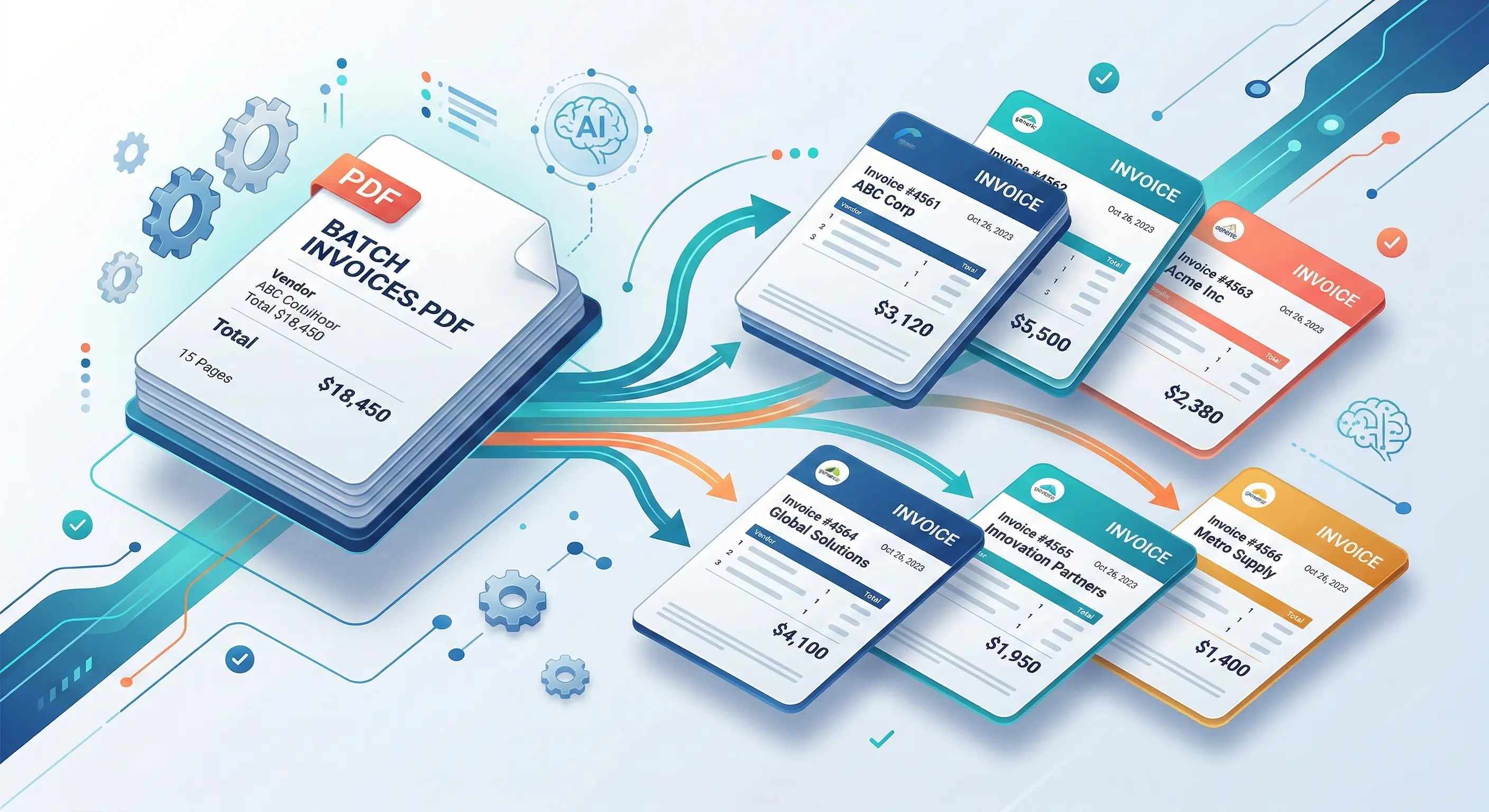
How to Automatically Split PDFs with Multiple Invoices
If you've spent the last decade in finance automation, you know this scenario: a batch of invoices lands in your inbox as a single 50-page PDF. Your team has two options. They can manually flip through it and split each invoice into separate files before processing. Or they can pretend this is someone else's problem and hope nobody notices the chaos that follows.
I've watched organizations lose invoices, duplicate payments, and miss early payment deadlines - all because a multi-invoice PDF didn't split cleanly. The financial cost is real. The operational damage is real. The good news is that this problem is completely solvable with technology.
Let me walk you through exactly what's happening, why so many teams are still struggling with it, and what actually works to fix it.
Understanding the Batch PDF Invoice Problem
Here's what I see in most organizations: invoices arrive in batches, often scanned as a single PDF file containing anywhere from five to fifty separate invoices, each one potentially spanning different numbers of pages. The mailroom staff scan them all at once, the vendor sends them via email in bulk, or a system exports multiple documents without separating them. From a human perspective, the solution is obvious - split the PDF into individual invoices and process each one independently.
From a technical perspective? That's where things get messy.
The problem isn't that splitting is conceptually difficult. The problem is that invoices don't arrive in a standardized format. Some are two pages long. Others are six. Some have footers that look like headers. Some vendors number their pages. Some don't. A 200-page PDF might contain ten invoices or fifty. There's no reliable way to know without actually understanding what each page contains.
When you don't split correctly, the downstream effects cascade through your entire system. According to research tracking accounts payable workflows, 64% of finance teams report that manual data entry remains their single biggest operational bottleneck. But that bottleneck gets worse when multiple invoices get merged into one record. Approvers only see the first page. Total amounts are combined. Line items are duplicated or lost. The system creates a single accounting entry for what should have been five separate transactions.
I've seen organizations discover these errors months later during audit season. By then, you're dealing with reconciliation nightmares, vendor disputes over payment discounts they didn't receive, and teams burning late nights manually tracing transactions back to source documents.
The financial impact of a missed invoice. When splitting fails and two invoices become one, that second invoice effectively vanishes from your workflow. It doesn't get approved. It doesn't get paid on time. Your vendor relationship deteriorates. If you're in an industry with SLA requirements or compliance deadlines, you're now exposed to penalties and audit findings.
The teams that get this right don't waste time. They use automation. And that's what separates companies operating at scale from those constantly fighting fire.
Common Approaches to Invoice PDF Splitting
Before I talk about what actually works, let me be direct about what doesn't.
Fixed-page splitting is the nuclear option. You tell the system, "Every invoice is exactly 3 pages long," and it splits the PDF accordingly. This works perfectly when reality matches your assumptions. In practice? It almost never does. One vendor starts including an additional cover sheet. Another changes their invoice layout to reduce pagination. A single page gets inserted upside down during scanning. The entire system breaks. You end up with partial invoices, merged documents, and the same manual review process you were trying to avoid.
Rule-based splitting is more sophisticated. The system looks for specific keywords - "Invoice Number," "Total Amount," a company logo, a page counter showing "Page 1 of X." It uses pattern matching and regular expressions to detect where one invoice likely ends and another begins. This approach is popular because it's relatively easy to implement. You write rules, tune them for your specific vendors, and deploy.
I've built systems like this, and I'll tell you the honest truth: they work until they don't. The moment a vendor changes their header, forgets to include their logo, or formats their page numbers differently, your rule set becomes unreliable. Rules are brittle. They require constant maintenance. And they fail silently - you don't know you've merged two invoices until someone catches the error in a three-way matching validation or during end-of-month reconciliation.
Manual splitting is the safety net that nobody actually wants to use. A team member opens each PDF, manually identifies where invoices begin and end, creates separate files, and uploads them for processing. It's 100% accurate (when done carefully), completely unscalable, and expensive. For organizations processing hundreds or thousands of invoices monthly, manual splitting isn't a viable long-term strategy. Yet I still see teams relying on it as their backup when automation fails.
The approach that actually scales is AI-powered splitting. Instead of relying on fixed assumptions or keyword matching, modern systems analyze the actual content and structure of each page. They understand that an invoice number, a vendor name, and a date appearing together likely signal the start of a new document. They recognize the logical flow of invoice sections - header, line items, tax calculation, total. They learn from training data what legitimate invoice boundaries look like.
This is fundamentally different from rules-based splitting. You're not hardcoding, "Look for the word 'Invoice.'" You're building a system that understands what makes something an invoice boundary, even when the formatting changes.
Key Challenges in Automated Invoice Separation
Now let me talk about the real obstacles you'll encounter. These aren't theoretical. They're problems I've solved in production systems, and they trip up teams that think automation is a one-time implementation.
Inconsistent invoice formats within the same batch is the most obvious challenge. You might be processing invoices from fifty different vendors, each with their own design, numbering system, and layout. One vendor puts the total at the bottom right. Another puts it in a table. Another includes it in the header. Modern deep learning approaches can handle significant format variation, but consistency still matters. When layouts are inconsistent, OCR systems show much higher rates of problems with invoice processing, and the splitting logic has less contextual information to work with.
Multi-page invoices with variable structures add another layer of complexity. An invoice that runs across four pages requires the system to understand that all four pages belong together, even if page two looks dramatically different from page one (perhaps because it's entirely a table of line items, while page one is all header and summary information). If your splitting algorithm doesn't account for this, it might mistakenly think page two is the start of a new invoice.
OCR quality issues are the silent killer. Many invoices arrive as scanned documents - PDFs created from physical papers run through scanners. Poor scan quality from mobile phones, fax machines, or low-resolution scanners creates images with skewed alignment, shadows, uneven lighting, and blurred text. When OCR engines try to extract text from these low-quality images, they misread characters. Invoice numbers get corrupted. Decimal points disappear. Vendor names get mangled. The splitting system then works with corrupted data, making incorrect boundary decisions.
I've seen this burn organizations. A decimal point disappears during OCR. The invoice amount changes from $98,750 to $9,875. The system correctly detects it as a boundary (because the amount looks like a new document), but the invoice data is now wrong. These errors reveal themselves during audits and reconciliation, not at processing time, which means you've already processed the invoice, paid it, and closed the books on incorrect data.
Edge cases and exceptional documents require intelligent handling. What happens when an invoice has an attachment - a purchase order, a delivery note, or a customs form bundled into the same PDF? Your splitting logic needs to separate the invoice from the attachment, but not split the invoice itself across that boundary. When splitting misses a document boundary, multiple invoices can merge undetected, and you're back to the nightmare scenario where a second invoice vanishes into the first.
Some documents are genuinely ambiguous. A 30-page PDF arrives. Is it thirty single-page invoices? Fifteen two-page invoices? Some combination? Without a reliable signal (like a page counter or sequential numbering), the system has to make educated guesses. Get it wrong, and downstream processing fails.
Essential Features for Automated Invoice Splitting Tools
If you're evaluating solutions - or building your own - here are the non-negotiable capabilities that separate production-grade systems from prototypes that fail under load.
Intelligent boundary detection is the core requirement. The system needs to analyze page content, understand document structure, and identify where one invoice logically ends and another begins. This goes beyond pattern matching. AI-powered systems use content analysis and layout recognition to detect document boundaries. They learn what invoice headers look like, understand the logical flow of invoice sections, and can identify the start of a new document even when the formatting differs significantly from the previous one.
Robust OCR with high accuracy is non-negotiable, especially for scanned documents. The OCR engine needs to handle poor-quality scans, extract text reliably from various document layouts, and preserve structural information (like table formatting). But here's the critical point: OCR alone is not sufficient. It extracts text but cannot ensure data quality or eliminate manual review. The system needs validation and intelligent interpretation of what OCR extracted.
Multilingual support matters if you're processing invoices globally. An invoice from a vendor in Poland might include text in Polish, but the invoice number, date, and amount fields need reliable extraction regardless of language.
Machine learning models that improve over time are essential for handling format diversity. The system should learn from corrections made during manual review. If a human corrects a boundary detection error, that feedback should feed back into the model, improving its accuracy for similar documents in the future. Real-time feedback mechanisms allow AI systems to receive feedback from users, refining performance and accuracy. This is what separates static rule-based systems from living, learning automation.
Validation rules and data normalization catch errors early. Once documents are split, the system should validate that each invoice has required fields (invoice number, date, total, vendor name), check that amounts are reasonable (not negative, not absurdly large), and detect obvious duplicates. Automated validation processes involve cross-checking extracted data against predefined rules, verifying vendor details against master databases, and detecting duplicate invoices.
Suparse has all the features needed for automated invoice splitting tools and delivers top results. Once split, invoices can be exported directly as QBO files for QuickBooks, CSV for Xero and Sage, or standard Excel and JSON formats—creating a seamless path from batch PDF to accounting system.
Batch processing and parallel execution are essential for scale. Splitting a 200-page PDF should take seconds, not minutes. The system should process multiple pages in parallel, identify boundaries efficiently, and output individual invoices ready for downstream processing. Intelligent separation using parallel pre-processing analyzes all pages of a PDF to extract discriminating information, enabling fine separation even in large volumes.
Full traceability and audit trails are your insurance policy. Every decision the system makes - "This page starts a new invoice," "This field contains the vendor name," "This document is a duplicate" - should be logged with enough detail to trace the decision back to the source. When something goes wrong, you need to understand exactly what happened and why. Comprehensive audit trails log every action for compliance and troubleshooting purposes.
Seamless integration with accounting systems is what transforms splitting from a cool tool into part of your actual workflow. The split invoices need to flow directly into your AP system, your ERP, your document management platform. Integration with ERP is what turns AP automation from a useful tool into an end-to-end workflow. Without it, you've just added another manual step. For a complete procure-to-pay solution that handles invoice splitting, data extraction, and accounts payable automation in one platform, Suparse provides end-to-end coverage.
AI-Powered Smart Splitting for Invoice Processing
This is where modern systems like Suparse shine, and it's worth understanding how they actually work.
Language models analyze page content and logical connections to identify boundaries. Instead of looking for the word "Invoice," the system understands the semantic meaning of content. It recognizes that a page starting with a vendor name, an invoice number, and a date - in that logical sequence - is likely the beginning of a new document. It understands that page two of a five-page invoice is a continuation because the content flows logically from page one.
Parallel processing enables fast separation of large volumes without human intervention. Instead of processing a 200-page PDF sequentially, the system can analyze multiple pages simultaneously, identify boundaries, and group pages into documents. This is what enables the speed advantage of automated systems. A team member might spend thirty minutes manually splitting a batch PDF. An intelligent system does it in seconds. For organizations processing thousands of documents monthly, our high-volume document processing guide explains how to scale this parallel architecture across your entire document workflow.
End-to-end traceability maintains audit trails for compliance. Every decision is logged. Every boundary detected is recorded with confidence scores, metadata about the decision logic, and references to the source content. When an auditor asks, "Why was this document split here?" you have a complete, defensible answer.
Implementation Best Practices
I've seen splitting implementations succeed and fail, and the difference usually comes down to execution, not technology.
Start with automated splitting for standard formats, then escalate edge cases to human review. Don't try to achieve 100% automation immediately. Aim for 90-95% automation on straightforward invoices, and route the remaining 5-10% (multi-page documents with unusual formatting, bundled attachments, low-quality scans) to a human reviewer. This maximizes your automation value without creating bottlenecks when the system encounters edge cases it's not confident about.
Implement validation checks to catch splitting and extraction errors early. Before an invoice moves to AP processing, validate that it has required fields, that amounts are reasonable, that vendor information is complete. These validation rules act as a safety net. If the splitting system made an error, catching it at this stage is infinitely better than discovering it during three-way matching or audit season. Once your invoices are properly split, you can automate the full invoice data entry workflow to extract vendor details, line items, and totals without manual typing, or convert PDF invoices to Excel including all line item details for import into your accounting system.
Maintain traceable records from source PDF to final accounting system entry. This is your compliance and audit trail. Document which pages came from which source PDF, which boundary detection method was used, which vendor matched the extracted information, and any manual corrections made during review. Integrated AP solutions with ERP platforms provide a unified financial data source and simplified compliance.
Establish feedback loops to continuously improve splitting accuracy. When a human corrects a boundary detection, when someone flags a duplicate, when a vendor name is manually adjusted - capture that information and feed it back into your training process. Over time, your system becomes smarter and more vendor-aware. Machine learning systems learn to recognize and extract relevant information from invoices, reducing errors and improving accuracy over time.
Key Takeaways
Batch PDFs with multiple invoices represent a significant bottleneck in accounts payable workflows. When 64% of AP teams report that manual data entry is their biggest challenge, and only 7% of AP teams currently use AI for spend management, there's a massive opportunity to improve.
Manual and rule-based splitting methods lack scalability and accuracy for diverse invoice formats. They work in controlled environments with standardized vendors, but they break down the moment you're processing invoices from multiple sources with varying layouts.
AI-powered splitting delivers the highest accuracy, with Suparse splitting leading the industry by understanding document structure and content, not just pattern matching on keywords. LLM-based approaches achieve 97% accuracy and handle multi-page documents more effectively than traditional OCR-only systems.
The teams winning at this are the ones who've moved beyond manual processes, beyond fragile rules, to systems that actually understand invoice structure and learn from experience. They're not spending late nights debugging split errors. They're not reconciling phantom invoices. They're processing invoices at scale with confidence.
If your team is still manually splitting PDFs or relying on brittle rule-based systems, this is your time to try out Suparse, the best solution in 2026 for AI automated PDF with invoices splitting.
Stop Manually Splitting Invoices. Start Automating.
Upload a batch PDF with 50 invoices and watch our AI separate them into individual documents in seconds. Process your first batch for free - no credit card required.
Split PDF Invoices for FreeFrequently Asked Questions About PDF Invoice Splitting
How do I automatically split a PDF that contains multiple invoices into separate files?
The most reliable method is using Suparse, an AI-powered document separation software. Instead of manual splitting or brittle rules, you upload the batch PDF and the system analyzes each page's content to intelligently detect where one invoice ends and another begins. It groups related pages together and outputs individual invoice files ready for processing - all in seconds.
Can automated invoice splitting handle different formats from various vendors?
Yes, and this is where modern AI systems excel. Unlike rule-based approaches that break when vendors change their layouts, AI-powered splitting understands document structure and context. It recognizes invoice boundaries regardless of formatting variations, handles multi-page invoices with variable structures, and adapts to new vendors without manual configuration, with Suparse you can test it for free.
What happens when an invoice spans multiple pages in a batch PDF?
AI-powered systems understand logical document flow. They recognize that pages with continuation signals - like line item tables that span pages, consistent vendor headers, or page numbering like 'Page 2 of 4' - belong to the same invoice. The system intelligently groups these related pages together before creating the separate output file.
How accurate is automated PDF splitting compared to manual separation?
AI-powered splitting achieves 99%+ accuracy when using Suparse, by analyzing actual content rather than relying on fixed page counts or keyword patterns. It handles edge cases that trip up rule-based systems, such as low-quality scans, inconsistent layouts, and bundled attachments. When combined with validation checks, it significantly reduces the errors common in manual processing.
Can I batch process hundreds of multi-invoice PDFs at once?
Absolutely. Production-grade systems like Suparse, use parallel processing to analyze all pages simultaneously, enabling rapid separation of large volumes. A 200-page PDF that would take 30 minutes to split manually can be processed in seconds. The output integrates directly with your accounting system, creating a seamless workflow from batch PDF to individual invoice records.
Michal Raczy
Michal is the founder of Suparse.com. He has over 15 years of experience in delivering projects in data analysis, automation, and document processing. Michal solves complex automation and AI implementation challenges for both SMEs and large corporations, with a particular focus on document processing. Contact at michal@suparse.com.