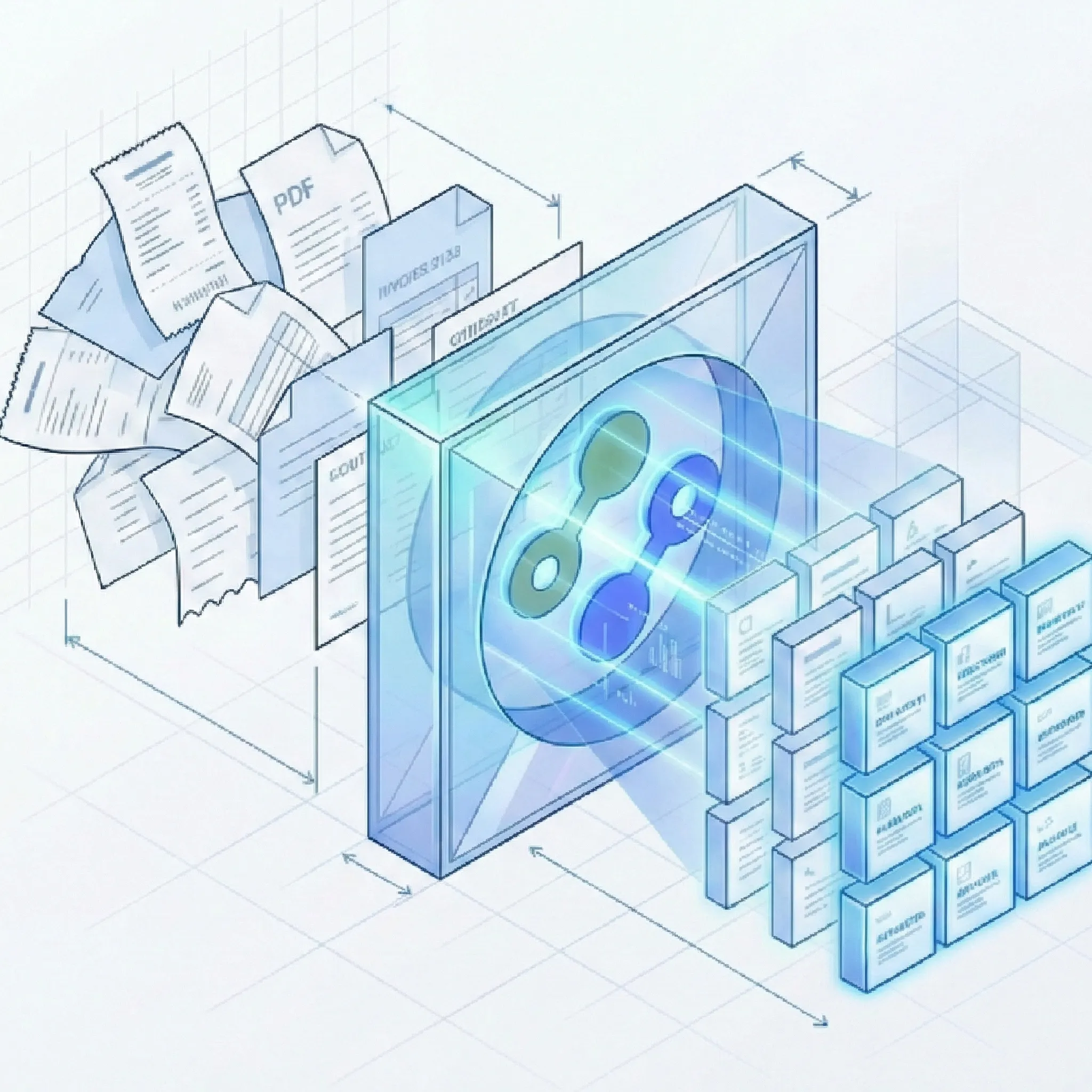
ABBYY Vantage offers 100+ pre-trained skills and on-premise deployment for organizations with dedicated IT teams and long procurement cycles. Suparse is a better fit when you want self-service setup, template-free extraction, custom schemas, built-in review, and transparent monthly pricing in one product.
No integrator required
Template-free extraction
Python and TypeScript SDKs
50 free page credits
Quick Summary
Criteria
Suparse
ABBYY Vantage
Best for
Finance, operations, logistics, and product teams that want a complete extraction workflow with fast setup and no implementation partner.
Large enterprises with dedicated IT budgets, compliance requirements for on-premise deployment, and the capacity for multi-year vendor engagements.
Pricing model
Published monthly tiers start at $11/month for 100 pages. No setup fee, no hidden costs.
Quote-based enterprise licensing with no public pricing page. Implementations typically range from $50K to $200K+ including integrator fees, according to multiple third-party sources.
Free trial
50 free page credits on signup. No credit card required, no sales call.
Gated trial through a sales engagement. Users must contact ABBYY to request a tenant before evaluating.
Time to first extraction
Self-service signup and first extraction in under 60 seconds using pre-trained or custom schemas.
8 to 12 weeks with a paid implementation partner, including configuration, testing, and a stabilization period.
SDK
REST API plus Python and TypeScript SDKs with documentation.
REST API (Processing API and Reporting API) with OAuth 2.0. No official Python or TypeScript SDK documented.
Schema flexibility
Create or edit extraction schemas in the UI with AI assistance. No model training or labeled samples required.
Skills-based model approach. Custom extraction requires creating and configuring a skill, which may involve training data and specialist knowledge.
Template requirements
Fully template-free zero-shot extraction that adapts to any layout from the first upload.
Each skill is an AI model trained for a specific document type. Custom or uncommon documents require skill creation and configuration.
Deployment model
Cloud SaaS by default, with VPC or on-premise option for controlled deployments.
Cloud-first with instances in Europe, US, and Australia. Also supports on-premise and private cloud on customer-managed Kubernetes.
Setup complexity
Self-serve. No professional services required. Optional consulting available if needed.
Requires a paid third-party integrator for most deployments. Professional services are a standard part of the implementation.
Review workflow
Side-by-side human review, update-in-place editing, validation rules, reconciliation checks, and audit logs included.
Built-in Manual Review interface for operators to verify and correct extracted fields before export.
Export options
Excel, CSV, JSON, Google Sheets, QBO, IIF, and Xero-compatible CSV. Unified batch export to a single spreadsheet.
JSON, XML, and CSV for field-level data. Excel is limited to full-text export rather than structured field extraction.
Team access
Unlimited user seats with every subscription tier. Role-based permissions and full audit trail.
Enterprise user management available. Specific seat and role details depend on the contract.
Full Feature Comparison
Compare implementation effort, schema flexibility, operational workflow, and deployment fit side by side.
Capability
Suparse
ABBYY Vantage
Structured JSON output
Structured JSON through the API and spreadsheet exports for operations teams.
JSON and XML output through the Processing API for developer-built workflows.
Invoice and receipt presets
Pre-trained models for invoices, receipts, and 8 other common document types with zero configuration.
100+ pre-trained skills in the marketplace cover invoices, receipts, and many other document types.
Bank statement support
Dedicated bank statement model with transaction extraction and reconciliation checks.
Bank statements are covered through marketplace skills, but financial reconciliation workflows require custom configuration.
Tax form and financial document support
Pre-trained model for tax forms with box-specific extraction. Also supports checks and energy bills.
Marketplace skills cover W-2, 1099, 1040, and other tax forms.
Custom document schemas
AI-assisted schema generation from a single sample document. Edit fields in the UI with plain-English guidance.
Custom skills can be created in the low-code Skill Designer, but the process typically involves configuration, testing, and ongoing maintenance by someone familiar with the platform.
Template-free zero-shot extraction
Extract from any document layout on the first upload without templates, training data, or skill configuration.
Vantage is built around a skills-based architecture where each skill is an AI model for a specific document type. New document types require creating and configuring a new skill.
No model training required
No labeled samples, no training sets, no waiting for model training to complete.
Pre-trained skills work out of the box for supported types. Custom skills may require sample documents and configuration. Online Learning can improve accuracy over time but requires enabling.
Automatic adaptation to layout changes
When vendors change invoice layouts, extraction adapts automatically without reconfiguration.
Skills may need updating or retraining when document layouts change significantly. Online Learning can help adapt, but it requires enabling and manual review corrections.
Handwriting recognition in 100+ languages
Handwriting recognition across 100+ languages including non-Latin scripts.
Handwriting recognition is supported but currently documented for a limited set of languages including English, French, German, Spanish, and Japanese.
Scanned and degraded document support
Handles low-quality scans, faxes, skewed mobile photos, and dot-matrix prints.
ABBYY has decades of OCR optimization and handles degraded documents well, particularly through their OCR skills.
Complex table extraction
Extracts from borderless, nested, variable-row, and multi-page tables.
Vantage supports table extraction including complex tables, with improvements noted in recent releases.
Automatic document classification
Automatically identifies document type and routes to the correct schema.
Dedicated classification skills for sorting documents by type.
Automatic multi-document PDF splitting
Detects document boundaries in multi-document PDFs and splits them automatically. No additional splitting fee; standard extraction page charges apply.
Document Splitter skills separate a flow of pages into individual documents.
Long document auto-chunking
Auto-chunking handles long documents without token limits, timeouts, or lost context.
Vantage processes multi-page documents, but no official auto-chunking feature is documented. Long unstructured documents may require specific skill configuration.
Python SDK
Official Python SDK with documentation for REST API integration.
No official Python SDK documented. Integration is through the REST API directly.
TypeScript SDK
Official TypeScript SDK with documentation for REST API integration.
No official TypeScript SDK documented. Integration is through the REST API directly.
CLI tool
Command-line interface for batch operations and scripting.
No CLI tool documented. Operations go through the Vantage UI or REST API.
REST API
Full REST API with upload, status polling, result retrieval, and bulk operations.
Processing API for document submission and extraction, plus Reporting API for analytics. OAuth 2.0 authentication.
Self-service signup
Sign up and start extracting in under 60 seconds. No sales call required.
Users must contact ABBYY to request a tenant. Sign-up is sales-led, not self-service.
Under 60 seconds to first extraction
Upload a document, select a schema, and get results in seconds.
Typical implementations take 8 to 12 weeks with a paid implementation partner.
50 free page credits with no credit card
50 pages free on signup. No credit card required. Full access to all features.
Trial access requires contacting ABBYY sales. No free tier or self-service credits documented.
Month-to-month subscription
Monthly billing with no long-term commitment. Annual option for lower pricing.
Typically requires multi-year commitments with annual prepayment, according to multiple third-party sources.
No setup or implementation fee
No setup fee. Onboarding call included at no extra charge.
Professional services fees are standard. Implementation costs range from $15K to $200K+ depending on complexity.
Unlimited user seats
Every subscription tier includes unlimited seats with role-based permissions.
Seat-based licensing with enterprise user management. Specifics depend on the contract.
Full audit trail for edits and extractions
Tracks every extraction, edit, and verification with user attribution and timestamps.
Security logs and audit capabilities are documented for Vantage tenants.
Multi-page PDF support
Processes multi-page PDFs with automatic splitting and classification.
Multi-page documents are supported natively.
Batch processing
Drag-and-drop hundreds of documents for parallel processing.
Batch processing through workflows and API.
Human-in-the-loop review UI
Side-by-side document view with update-in-place editing and validation rules.
Built-in Manual Review interface for operators to verify and correct extractions.
Bank statement reconciliation
Validates that opening balance plus transactions equals closing balance on every statement.
Reconciliation workflows can be built but are not a built-in feature of the standard platform.
Invoice self-consistency checks
Validates that subtotal plus tax equals total on every invoice.
Validation rules can be configured through skill customization but are not included by default.
Human review workflow
Built-in review with unlimited team members, corrections, and verification tracking.
Manual Review is part of the standard processing pipeline.
Export to Excel, CSV, JSON, QBO, and IIF
Direct export to Excel, CSV, JSON, QBO, IIF, Google Sheets, and Xero-compatible CSV. Unified batch export consolidates many documents into one spreadsheet.
JSON, XML, and CSV for field-level data. Excel export is limited to full-text output rather than structured field extraction. No QBO or IIF export documented.
Cloud SaaS with VPC/on-premise option
Cloud SaaS by default with VPC and on-premise deployment available.
Cloud-first with instances in Europe, US, and Australia. On-premise and private cloud on customer-managed Kubernetes.
EU hosting
EU-focused hosting for GDPR and data sovereignty needs.
Cloud instances available in Western Europe.
No customer data used for model training
Customer documents are never used to train AI models. Zero-retention option available.
Online Learning is off by default and customer data is not used for training unless explicitly enabled. When enabled, documents with manual corrections are collected into a training set.
Zero-retention option
Users control data lifecycle with instant deletion and zero-retention configuration.
Transactions are deleted after 14 days by default. Technical logs retained for up to 3 months. Online Learning data requires manual management.
GDPR compliance
GDPR compliant with EU hosting and user-managed retention policies.
ABBYY states its solutions comply with data protection laws including GDPR.
Email and live chat support
Email and live chat support available.
Support is typically routed through the implementation partner. Direct support quality is a recurring concern in peer reviews.
No enterprise lock-in
No integrator dependency, no multi-year contract, no opaque pricing. Leave anytime.
Multi-year contracts, paid integrators, and skills built during implementation create significant switching costs.
Pricing transparency
Current USD pricing: $11/month for 100 pages, $19/month for 250 pages, and $76/month or $828/year for 1,000 pages. The annual 10,000-page tier works out to about $36 per 1,000 pages/month. What you see is what you pay.
No public pricing page. Quote-based with opaque skill-based licensing bundles.
SOC 2 Type II certification
Not currently certified. GDPR compliant with EU hosting.
ABBYY Vantage Cloud is SOC 2 Type II certified.
Document types out of the box
10 pre-trained document types: invoices, receipts, bank statements, checks, tax forms, energy bills, AWBs, bills of lading, delivery notes, purchase orders, quotes, resumes, and medical prescriptions.
100+ pre-trained skills in the marketplace covering invoices, receipts, purchase orders, insurance claims, contracts, pay slips, identity documents, bills of lading, delivery notes, packing lists, and tax forms.
Ready to compare Suparse on your own documents?
Upload real invoices, receipts, statements, or custom documents and inspect the output before committing.
Suparse and ABBYY Vantage approach document extraction from opposite starting points.
From email intake to your connected workflow
Forward emails to a dedicated Suparse address and extract data from attachments, the email body, or both. Use a specific document type or Email Autopilot, with unmatched documents sent to review without automatically creating new types.
Send extraction results to your application or workflow by webhook. Subscribe by document template and upload source to route the right data to the right system. Document splitting has no additional cost; standard extraction page charges apply.
Self-service vs. sales-led
ABBYY Vantage requires you to contact sales, request a tenant, engage a paid implementation partner, and commit to a multi-year contract before you can process a single document. That model works for organizations with dedicated procurement teams and long planning cycles, and it is shared by other enterprise platforms like Rossum and Klippa DocHorizon.
Suparse is self-service. Sign up, get 50 free pages, and extract structured data in under 60 seconds. No integrator, no sales call, no multi-year commitment. Monthly billing lets you start small and scale when ready.
Template-free extraction vs. skills-based models
ABBYY Vantage is built around skills: each skill is an AI model trained for a specific document type. The marketplace offers 100+ pre-trained skills, which covers common cases well. But when you encounter a document type outside the marketplace or a layout that does not match a skill, you need to create a new skill, configure it, test it, and maintain it.
Suparse uses template-free zero-shot extraction. Upload any document, define or select a schema, and get structured data immediately. When a vendor changes their invoice layout, Suparse adapts automatically. No retraining, no skill updates, no maintenance overhead for layout changes.
SDK-first developer experience
ABBYY Vantage provides a REST API with OAuth 2.0 authentication, but does not ship official Python or TypeScript SDKs. Developers integrate by reading API docs, implementing authentication flows, and building HTTP clients themselves.
Suparse ships Python and TypeScript SDKs alongside a documented REST API. Developers can install the SDK, authenticate, and start extracting structured JSON in minutes rather than building HTTP plumbing from scratch.
Extract with Suparse Python SDK
from suparse import SuparseClient

client = SuparseClient(api_key="your_key")
result = client.extract(
    file="invoice.pdf",
    schema="invoice"
)
print(result.json)
Transparent pricing vs. opaque enterprise licensing
ABBYY Vantage does not publish pricing. Implementations involve custom quotes, skill-based licensing bundles, professional services fees, and multi-year commitments. Third-party sources report implementation costs ranging from $50,000 to $200,000 or more.
Suparse publishes pricing on the website. Plans start at $11/month for 100 pages. No setup fee, no hidden costs, no integrator fees. Month-to-month billing with the option to commit annually for a discount.
Built-in financial validation
ABBYY Vantage can be configured with validation rules through skill customization, but reconciliation checks on bank statements and invoice self-consistency validation require additional configuration and specialist knowledge.
Suparse includes bank statement reconciliation (opening balance + transactions = closing balance) and invoice self-consistency checks (subtotal + tax = total) as built-in features that run automatically on every relevant document.
When ABBYY Is the Better Choice
ABBYY Vantage is a mature enterprise platform with genuine strengths in specific scenarios. Here is where it makes more sense than Suparse.
Your organization requires on-premise deployment in a regulated environment where no data can leave your network. ABBYY's Kubernetes-based self-managed deployment gives full infrastructure control.
You need SOC 2 Type II certification as a procurement requirement. ABBYY Vantage Cloud is certified; Suparse is not. Other certified alternatives include Rossum and Affinda.
You already have ABBYY expertise on staff, trained skills deployed, and established workflows. The switching cost may outweigh the benefits of a new platform.
You process documents in 190+ languages including rare or complex scripts for a global digitization project. ABBYY's language coverage is the broadest in the industry.
You need 100+ pre-trained document skills out of the box for a wide variety of document types and have the IT resources to configure and maintain them.
Frequently Asked Questions
Is Suparse cheaper than ABBYY?
Yes, for most teams. Suparse starts at $11/month with published pricing and no setup fee. ABBYY Vantage requires a custom quote, typically involves $50K-$200K+ in implementation costs, and commits you to a multi-year contract. For teams processing hundreds to a few thousand documents per month, the cost difference is significant.
Can I migrate from ABBYY to Suparse?
Yes. Since Suparse is template-free, you do not need to recreate ABBYY skills or training sets. Define your extraction schemas in Suparse's UI, point your API calls to Suparse, and start processing. Most teams can complete a migration in days rather than the months an ABBYY implementation originally took.
Does Suparse support the same document types as ABBYY?
Suparse covers 10 common document types out of the box (invoices, receipts, bank statements, checks, tax forms, energy bills, AWBs, bills of lading, delivery notes, purchase orders, quotes, resumes, and medical prescriptions) and supports any custom document type through AI-assisted schema generation. ABBYY offers 100+ pre-trained skills in its marketplace. If you need a very large catalog of pre-built skills, ABBYY has broader coverage.
How does Suparse handle data privacy and GDPR?
Suparse is GDPR compliant with EU hosting. Customer data is never used to train AI models. Users control data lifecycle with instant deletion and a zero-retention option. ABBYY Vantage also offers GDPR compliance with EU hosting, and deletes transactions after 14 days by default. ABBYY's Online Learning feature, which collects corrected documents for training, is off by default.
Does Suparse work without engaging ABBYY sales or an implementation partner?
Yes. Suparse is fully self-service. Sign up online, get 50 free page credits without a credit card, and start extracting documents in under 60 seconds. No sales call, no integrator, and no multi-year contract required.
What languages does the Suparse SDK support?
Suparse offers official SDKs for Python and TypeScript, plus a full REST API. ABBYY Vantage provides a REST API with OAuth 2.0 but does not ship official Python or TypeScript SDKs.
Is ABBYY FineReader the same as ABBYY Vantage?
No. FineReader PDF is desktop software for editing and converting PDFs. Vantage is the enterprise cloud platform for large-scale document processing automation. This comparison focuses on Vantage, which is the product that competes with Suparse.
Does ABBYY Vantage have a free trial?
ABBYY mentions a trial option in marketing materials, but the documented onboarding flow requires contacting ABBYY to request a tenant. It is a gated, sales-led evaluation rather than an instant self-service trial.
Try Suparse on your own documents
Use real documents to compare extraction quality, review effort, and export readiness.