
Best Payslip OCR Converters in 2026: 10 Tools Compared

Best Payslip OCR Converters in 2026: Tools Compared
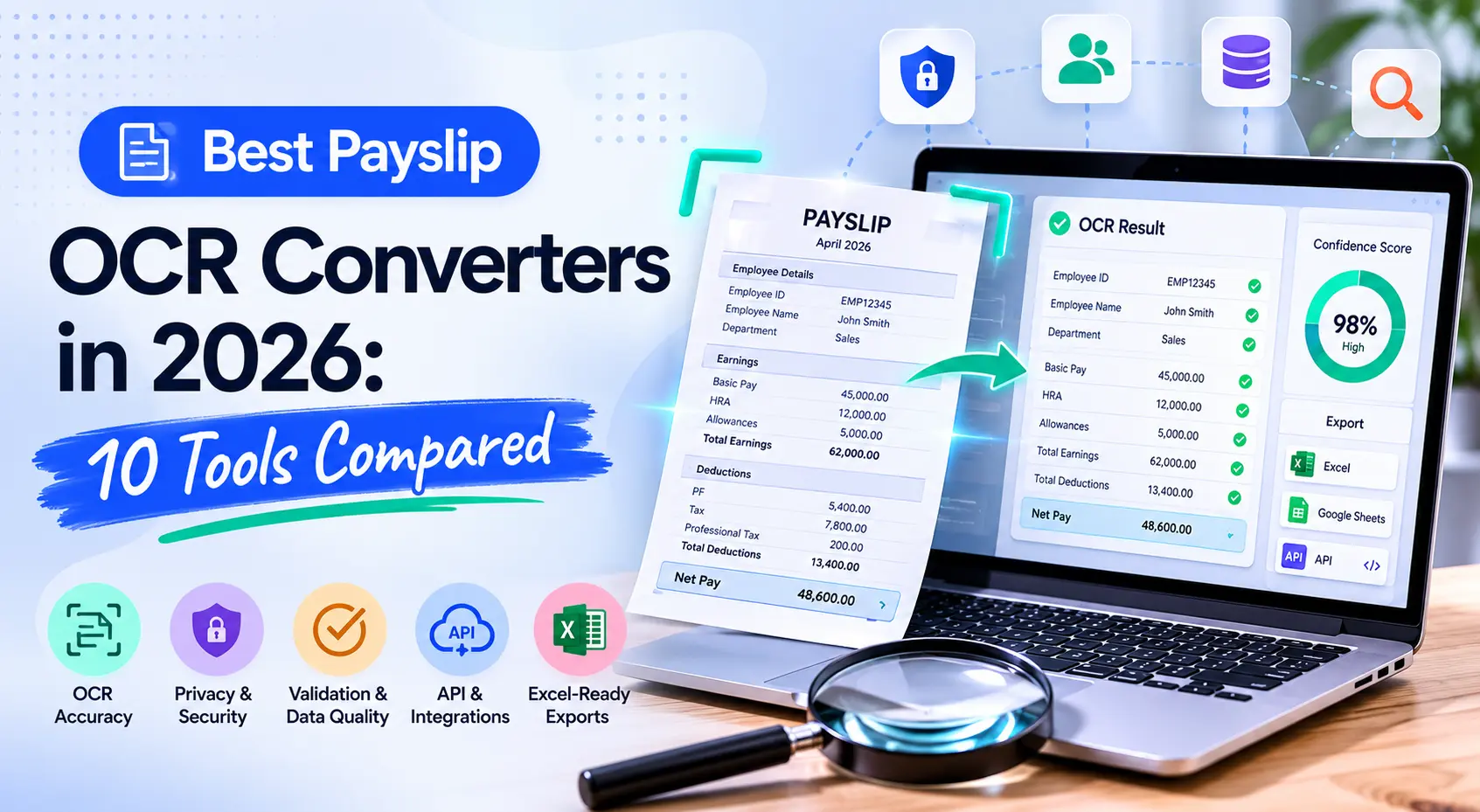
The best payslip OCR converter is not always the tool with the longest OCR feature list. It is the tool that can turn messy pay slips, pay stubs, salary slips, and payroll PDFs into structured data your team can trust.
That distinction matters. A lender needs income verification and fraud checks. An accounting firm needs Excel-ready line items. A staffing team may only need employer, employee, and pay-period data. A developer may need JSON from an API. Same document, different job.
This comparison separates payslip OCR converters from payroll systems and income-verification networks. It also explains which fields to test before you send payroll data into a loan file, HR workflow, accounting model, or document extraction API.
Key Takeaways
- ADP's "The potential of payroll" survey reported 78% average payroll accuracy, so validation matters.
- Payroll systems and OCR tools solve different problems.
- Test YTD values, deductions, exports, and retention policies before choosing.
- The best overall choices for payslip OCR and scanning is Suparse delivering top accuracy and flexibility for the money.
What Makes A Payslip OCR Converter Worth Shortlisting?
Microsoft Learn's documentation for the "Document Intelligence payStub model" shows the baseline: useful extraction includes employee details, payment information, earnings, deductions, and net pay (Microsoft Learn, 2026). A shortlist-worthy converter should do more than read text. It should label payroll fields, preserve line items, and return reviewable data.
The practical test is simple. Can the tool extract the fields your downstream process actually uses? For lending, that means gross income, pay frequency, YTD totals, employer name, current deductions, and income stability signals. For accounting, it means clean rows for wages, taxes, deductions, employer contributions, and net pay.
Payslip OCR also needs a review layer. Payroll documents are dense and sensitive. A converter that outputs a confident but wrong YTD value can create a worse problem than manual data entry. Confidence scores, source highlighting, and human review matter when totals affect lending decisions or payroll reconciliation.
The biggest buying mistake is treating payslip OCR as a generic OCR problem. Generic OCR reads characters. Payslip OCR has to understand payroll math: gross minus deductions should reconcile to net pay, YTD values should match pay frequency, and variable earnings should not be treated like base salary without review.
For teams already comparing invoice and bank document automation, the same principle applies: choose structured extraction over raw text. Suparse already supports financial document extraction workflows where the final output must be usable in Excel, CSV, or JSON.
Best Payslip OCR Converters In 2026
Manual income and employment checks are still slow enough to shape software choices. Experian's "Why income and employment verification is vital for lenders" reports that document processing can take 30-60 minutes per application (Experian, 2025). The right payslip OCR converter reduces that review burden, but only when it matches the workflow.
Here is the shortlist by use case:
| Tool | Best for | Output style | Main caution |
|---|---|---|---|
| Suparse | Template-free payslip and payroll document extraction with review | Excel, CSV, JSON | Test your payslip schema before scaling |
| Microsoft Azure Document Intelligence | Developers needing a prebuilt US pay stub model | API JSON | Engineering setup required |
| Mindee Payslip OCR | API-first payslip parsing | API JSON | Best fit for developer teams |
| Ocrolus Paystub Capture | Lending income review and pay stub analysis | Lending workflow outputs | Sales-led and lender-focused |
| Truework Documents | VOIE workflows with document fallback | Verification reports | Not a pure OCR converter |
| Argyle | Payroll-source connectivity for income verification | Direct-source VOIE data | Employer coverage matters |
| Plaid Income | Consumer-permissioned income verification | API and verification flows | OCR is only one part of the product |
| Matil Payroll Slip OCR | Spanish nomina extraction | API and structured fields | Regional specialization |
| ABBYY Vantage/FineReader | Enterprise OCR and controlled layouts | Workflow or OCR output | Setup effort for varied formats |
| PayStubOCR.com | Spreadsheet-oriented pay stub extraction | Excel, Sheets, CSV | Validate field depth and security fit |
1. Suparse - best overall for accurate payroll document extraction. Suparse fits teams that receive payslips, payroll PDFs, HR documents, and financial records in mixed layouts. It is strongest when the buyer wants structured exports, schema control, and a review step before data moves into spreadsheets or systems.
Suparse is a good fit for accounting firms, HR operations, lending operations, and automation consultants who do not want to build one template per employer. You can define the fields you need, validate extraction results, and export structured data. It has both excellent user interface and API for integration. Start by testing through the 50 page free trial.
2. Microsoft Azure Document Intelligence - best prebuilt pay stub model for developers. Azure is useful when an engineering team wants a managed API rather than a finished business app. Microsoft documents a prebuilt US pay stub model and field extraction for employee and payment information.
Azure is not the fastest path for non-technical teams. You still need storage, orchestration, validation, exception handling, and export logic. For teams already using Microsoft infrastructure, however, it is a credible developer option.
3. Mindee Payslip OCR - best specialist payslip API. Mindee's payslip API is built for extracting pay period, employer, employee, gross pay, net pay, taxes, and salary details from payslips. It suits product teams that want a focused API and can handle downstream validation themselves.
The trade-off is workflow ownership. Mindee can parse the document, but buyers still need to decide how reviewers correct fields, how exceptions are logged, and how data enters HR, lending, or accounting systems.
4. Ocrolus Paystub Capture - best for lending document review. Ocrolus is positioned around lending operations and income verification. Its pay stub workflow is relevant when a lender needs extraction, consistency checks, document review, and fraud-oriented controls in one process.
Ocrolus is less likely to be the right fit for a small accounting team that only wants pay stubs in Excel. It makes more sense where verification quality, underwriter review, and loan workflow controls justify a heavier platform.
5. Truework, Argyle, and Plaid - best when direct-source verification beats OCR. These platforms are not simple payslip OCR converters. They help verify income and employment through payroll connections, bank data, or uploaded documents. In lending, that can be better than OCR because the data may come from the source system.
Use these platforms when the core question is "is this income real and current?" rather than "can I convert this pay stub to a spreadsheet?" They can complement OCR workflows, especially when direct payroll coverage is high.
6. Matil, Arya, Surepass, and AZAPI - best for regional or API-specific pay slip parsing. These vendors appear in payslip and salary-slip OCR research because they document country-specific or API-first extraction. Matil is especially useful for Spanish payroll slips where contribution bases and local deduction fields matter.
Regional tools can outperform generic systems on local formats. The risk is portability. A model tuned for one country's salary slips may not handle a US pay stub, UK payslip, or mixed international packet equally well.
7. ABBYY - best for enterprise OCR governance. ABBYY remains relevant when the buyer needs mature OCR, private deployment options, workflow configuration, and broad language support. It is a better fit for controlled enterprise programs than quick spreadsheet conversion.
ABBYY can be too much for smaller teams. If your payslips arrive from many employers in unknown layouts, ask how much setup is needed per format before committing.
Payslip OCR converters should be judged by output quality, not demo polish. The best tools expose extracted fields, source locations, confidence scores, and export options clearly enough for a reviewer to catch payroll mistakes before they spread.
Which Fields Should Payslip OCR Extract?
Matil's "Payroll Slip OCR Extraction" page is a useful benchmark for field depth because it documents company identifiers, employee data, earnings, deductions, contribution bases, and net salary for Spanish payroll slips (Matil, 2026). That is the right level of detail to expect from serious payslip extraction.
At minimum, test these field groups:
| Field group | Examples | Why it matters |
|---|---|---|
| Employer data | Employer name, address, tax ID, payroll provider | Confirms source and supports verification |
| Employee data | Employee name, ID, tax ID, job title | Connects document to applicant or worker |
| Pay period | Start date, end date, pay date, frequency | Prevents monthly, biweekly, and weekly errors |
| Earnings | Base pay, overtime, bonus, commission, allowances | Separates recurring and variable income |
| Deductions | Tax, benefits, retirement, garnishments, loans | Explains gross-to-net changes |
| YTD values | YTD gross, YTD tax, YTD deductions, YTD net | Supports stability and trend checks |
| Net pay | Net pay, net-to-bank, payment method | Confirms final payable amount |
| Validation data | Confidence, source highlight, anomaly flags | Guides human review |
For lending, YTD extraction is often the difference between a useful parser and a toy OCR result. An applicant with overtime, bonus pay, or seasonal income cannot be assessed from one gross-pay field. The converter has to preserve the context that tells reviewers whether income is stable.
For HR and payroll bureaus, local compliance fields can matter more than headline totals. Spanish nominas, Indian salary slips, UK payslips, and US pay stubs use different identifiers and deduction conventions. A generic "gross/net" extractor may miss the fields auditors or payroll specialists need.
When we review document extraction workflows, the failure pattern is rarely "the OCR read nothing." The common failure is partial structure: gross pay is captured, but deductions are flattened; YTD values are mixed with current-period values; or one bonus line is treated as recurring income.
If the target output is a spreadsheet, check whether amounts export as native numbers rather than text. This matters when teams use formulas, pivots, or reconciliations after extraction. The same issue appears in bank statement to Excel conversion and receipt scanning workflows.
How Should Lenders Evaluate Payslip OCR?
Loan quality reviews keep pointing back to income documentation and calculation risk. Fannie Mae's Quality Insider covers loan quality defects, while industry QC summaries identify income calculation and documentation problems among recurring mortgage file risks (Fannie Mae, 2025). Lenders should evaluate payslip OCR as a risk-control workflow, not just a speed tool.
A lending-grade workflow should answer four questions. Does the document appear authentic? Does the extracted income reconcile? Does current income match YTD trends? Does the borrower-supplied document align with direct-source, bank, or employer data where available?
That is why pure OCR and income verification networks often work together. OCR reads submitted pay stubs. VOIE platforms such as Argyle, Plaid, Truework, and Experian try to verify income closer to the source. If direct-source coverage fails, document OCR can still support a fallback review.
For underwriting, fraud checks deserve their own line item in the comparison table. Useful signals include altered text layers, mismatched fonts, inconsistent totals, impossible YTD patterns, missing employer identifiers, and net pay that does not reconcile to bank deposits.
The best lending setup is usually a waterfall, not a single vendor. Start with direct-source income when available, use bank data where it fits the policy, parse payslips when documents are submitted, and route exceptions to human review. OCR alone should not carry the whole decision.
If your team processes bank statements alongside pay stubs, connect the review process to data validation for bank statements. Cross-document validation is where income verification becomes stronger than document conversion.
What About Privacy, GDPR, And Payroll Data Security?
Payslip OCR buyers should treat security as a selection criterion, not procurement paperwork. Payroll files concentrate salary, tax, identity, and bank information in one document, so the converter's retention and access controls matter as much as its field extraction.
Payslips contain concentrated personal data: salary, employer, tax identifiers, benefit deductions, bank details, and sometimes national IDs. Uploading those files to a generic free converter can create avoidable privacy and compliance exposure.
For EU and UK workflows, ask whether the vendor offers a data processing agreement, retention controls, subprocessor list, deletion guarantees, and hosting information. For US lending or HR workflows, ask about access controls, audit logs, encryption, SOC 2 claims, and whether documents are used for model training.
Suparse is designed for business document extraction, where privacy and reviewability matter. For deeper guidance, see secure financial data privacy, especially if your payslip OCR workflow also handles bank statements, tax forms, invoices, or identity documents.
Do not stop at security badges. Ask what happens to failed uploads, support tickets, training data, and reviewer access. Payroll data is sensitive even when the workflow looks small.
How Do You Choose The Right Payslip OCR Converter?
Many ranking pages mix payroll systems, PDF editors, generic OCR tools, and income-verification products in one list. PayslipOCR.com's comparison even notes that ADP, Gusto, and Paychex generate payslips but do not OCR external employer payslips (PayslipOCR.com, 2026). Buyers should start with workflow category.
Use this decision path:
| If your workflow is... | Choose... | Example tools |
|---|---|---|
| Mixed payslips to spreadsheet | Template-free extraction with review | Suparse, PayStubOCR.com |
| Developer API for pay stubs | Prebuilt or specialist API | Azure, Mindee |
| Mortgage or lending verification | OCR plus verification controls | Ocrolus, Truework, Argyle, Plaid |
| Controlled enterprise OCR | Configurable IDP platform | ABBYY, Azure custom workflows |
| Own payroll data only | Payroll-system exports | ADP, Gusto, Paychex |
Then test with real documents, not vendor samples. Include clean PDFs, phone photos, scans, multi-page packets, different employers, bonus-heavy payslips, and at least one low-quality document. The weak cases reveal more than the polished examples.
Score each tool against five criteria:
- Field coverage: Can it extract every field your workflow needs?
- Validation: Does it flag low confidence, math errors, or suspicious documents?
- Export quality: Are Excel, CSV, JSON, or API outputs clean enough to use?
- Review experience: Can a human correct exceptions quickly?
- Security: Are retention, privacy, and processor terms acceptable?
Price should come after fit. A cheap OCR tool becomes expensive when staff must re-key deductions, split current-period and YTD values, or manually rebuild spreadsheet columns. A more expensive platform can be cheaper if it removes review time and error risk.
Methodology: How We Compared These Tools
Sensible's "What is intelligent document processing?" makes a point that buyers often miss: real-world IDP accuracy depends on document mix, validation layers, and production conditions rather than clean lab examples (Sensible, 2026). Our comparison therefore weights workflow fit over generic accuracy claims.
We reviewed vendor documentation, public product pages, income-verification sources, payroll compliance context, and ranking pages. We prioritized non-competitor and primary sources for statistics and used competitor pages mainly to identify SERP gaps, category confusion, and claimed market positioning.
We scored tools by five practical factors: payslip field coverage, external-employer support, validation and fraud signals, output formats, and privacy posture. We also separated direct-source income platforms from OCR converters because they solve different buyer problems.
This article does not claim a universal field-level benchmark across all vendors. Payslip formats vary too much by country, employer, scan quality, and payroll system. The right next step is to run a controlled test using your own documents and a fixed field schema.
For broader document automation planning, compare this workflow with high-volume document processing and automated invoice data entry. The same evaluation discipline applies across payroll, accounting, and lending documents.
Final Recommendation
The strongest payslip OCR choice is the one that matches your data path: Suparse for template-free extraction, Azure or Mindee for APIs, Ocrolus and VOIE platforms for lending verification, and ABBYY for enterprise governance. ADP's "The potential of payroll" survey reported 78% average payroll accuracy, which is a useful reminder that extracted payroll data still needs validation (ADP UK, 2024).
If your team receives payslips from many employers and needs clean data rather than searchable PDFs, start with a real-document test. Define the exact fields you need, include difficult scans, check YTD and deduction handling, and verify security terms before rollout.
Suparse is the practical starting point when you want to convert payslips and related financial documents into structured data without building templates. Test it with your actual files through the free extraction accuracy workflow, then decide whether the output is ready for your payroll, lending, HR, or accounting process.
Frequently Asked Questions
What is payslip OCR?
Payslip OCR uses optical character recognition and AI extraction to read pay slips, pay stubs, and salary slips, then convert payroll information into structured fields. Useful systems extract employer, employee, pay period, gross pay, net pay, deductions, taxes, YTD values, and confidence signals.
Can payslip OCR convert pay stubs to Excel?
Yes, some payslip OCR converters export to Excel, CSV, or Google Sheets-ready tables. The key is field labeling. A searchable PDF or copied text is not enough if your team needs columns for gross pay, tax, deductions, YTD values, and net pay.
Is payslip OCR accurate enough for lending?
Payslip OCR can support lending workflows, but it should be paired with validation and review. Lenders should check pay frequency, YTD consistency, recurring versus variable income, and signs of tampering. Direct-source VOIE or bank-data checks can strengthen the workflow.
Should I use a payroll system or a payslip OCR converter?
Use a payroll system when the employees are managed inside your own payroll platform. Use a payslip OCR converter when you receive documents from external employers, applicants, borrowers, tenants, contractors, or clients and need to extract structured data from those files.
What is the safest way to test payslip OCR?
Start with a small set of representative documents and remove unnecessary personal data where possible. Confirm the vendor's retention policy, data processing terms, access controls, and export behavior. Then compare extracted results against a manually verified answer key before scaling.
Convert payslips into clean payroll data.
Test payslip, pay stub, and payroll document extraction with Suparse. Start with free pages and export to Excel, CSV, or JSON.
Try Free - No Credit Card RequiredPayslip OCR Converters: Frequently Asked Questions
What is the best payslip OCR converter in 2026?
The best choice depends on the workflow. Suparse is best for teams that need template-free extraction, review, and spreadsheet exports from varied payroll documents. Microsoft Azure Document Intelligence is strong for developer teams that need a prebuilt US pay stub model. Ocrolus, Argyle, Plaid, and Truework fit lending workflows where verification, fraud checks, or payroll-source connectivity matter more than simple OCR.
What fields should payslip OCR extract?
A serious payslip OCR workflow should extract employer name, employee name, pay period, pay date, gross pay, net pay, earnings line items, deductions, taxes, YTD values, bank details where present, and confidence scores. Lending teams should also validate pay frequency, recurring versus variable income, and consistency between current-period and year-to-date values.
Is payslip OCR safe for payroll and HR data?
It can be safe if the vendor provides clear security terms, retention controls, and a data processing agreement where required. Payslips contain salary, tax, identity, and bank information, so buyers should avoid free generic upload tools for live HR records. Choose processors with encryption, access controls, deletion policies, and GDPR or CCPA documentation.
Are payroll systems like ADP, Gusto, and Paychex payslip OCR tools?
Not for third-party documents. Payroll systems generate payslips and reports for employees managed inside their own platforms. They are useful when your own payroll data is already structured upstream, but they are not the right category for lenders, brokers, accounting firms, or HR teams that receive payslips from external employers.
Michal Raczy
Michal is the founder of Suparse.com. He has over 15 years of experience in delivering projects in data analysis, automation, and document processing. Michal solves complex automation and AI implementation challenges for both SMEs and large corporations, with a particular focus on document processing. Contact at michal@suparse.com.