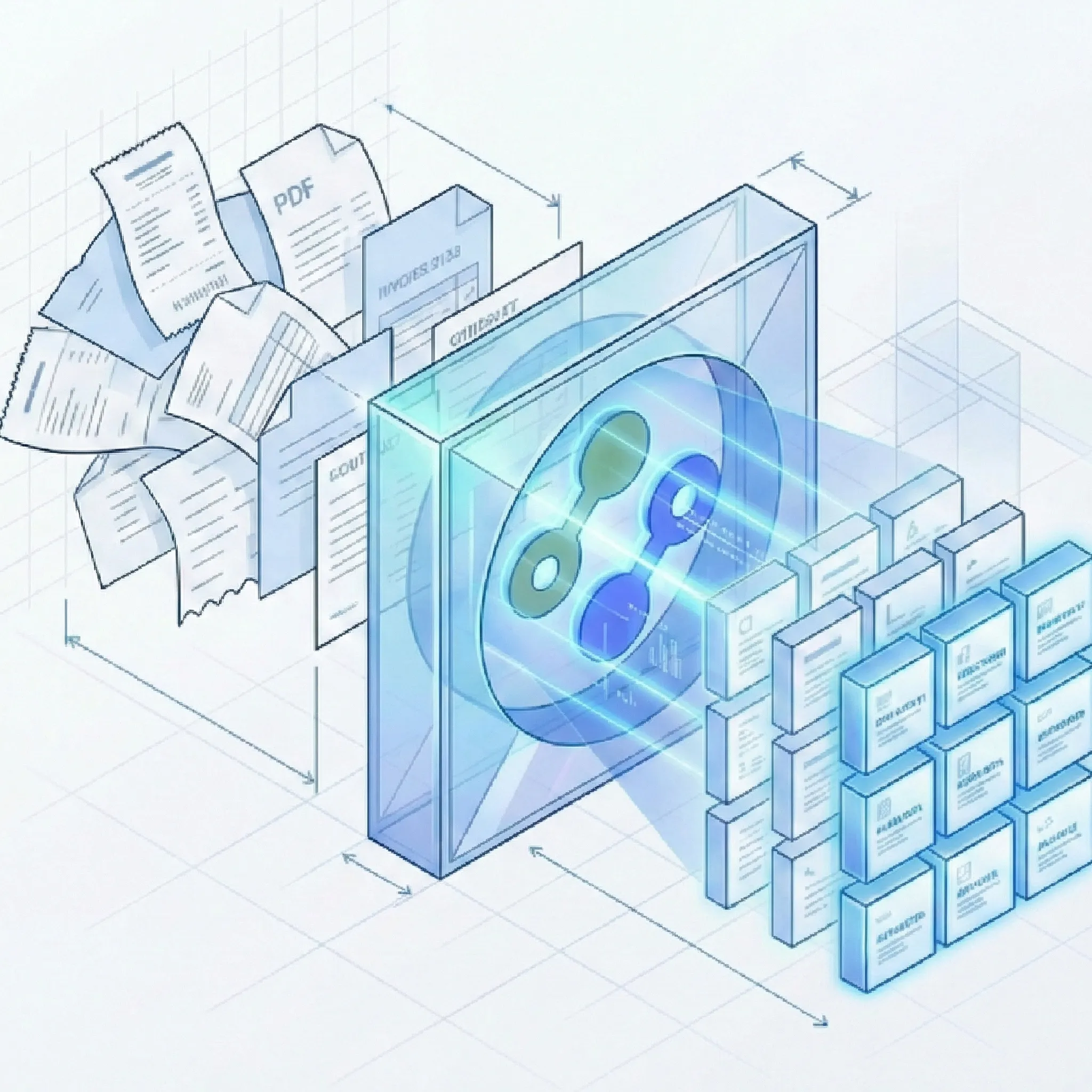
Docsumo is a strong IDP platform for financial services, insurance, logistics, and review-heavy operations. Suparse is a better fit when you want $11/month self-service entry pricing, custom schemas without model training, Python and TypeScript SDKs, and unified spreadsheet exports for batch workflows.
Python and TypeScript SDKs
Custom document schemas
Plans from $11/month
Unified spreadsheet export
Quick Summary
Criteria
Suparse
Docsumo
Best for
Finance, operations, logistics, and product teams that want fast self-service document extraction with custom schemas.
Financial services, insurance, logistics, and commercial real estate teams that want a mature IDP workflow around specialized models.
Pricing model
Published monthly tiers start at $11/month for 100 pages, with 50 free page credits and no credit card required.
Public third-party pages commonly describe Docsumo as usage-based or sales-assisted for paid plans, so final pricing should be verified with Docsumo.
Time to first extraction
Self-service signup and first extraction in under 60 seconds for supported or custom schema workflows.
Pre-trained models can start quickly, while custom model training requires confirmed sample documents before reliable extraction.
Custom documents
Create or edit schemas in the UI with AI assistance and no labeled training set.
Docsumo support docs describe model training with a minimum of 20 confirmed documents for custom models.
SDK
REST API plus Python and TypeScript SDKs for developer integration.
Docsumo provides API access and JSON output, but public sources reviewed did not confirm official SDK coverage.
Review workflow
Side-by-side human review, update-in-place editing, validation rules, and audit logs.
Built-in validation and review workflows are a core part of Docsumo's IDP product.
Exports
Unified export can consolidate 100+ processed documents into one Excel or CSV file, with JSON, Google Sheets, QBO, IIF, and Xero-compatible CSV also available.
Public support docs confirm CSV and Google Sheets export, with APIs for JSON payloads; unified batch spreadsheet consolidation should be verified directly.
Deployment
Cloud SaaS by default, with VPC or on-premise option for controlled deployments.
Public sources reviewed did not provide a clear general deployment statement; verify enterprise options directly.
Full Feature Comparison
Use this table to compare operating model, implementation effort, and export readiness. Some Docsumo claims are limited to public sources reviewed and should be verified before procurement.
Capability
Suparse
Docsumo
Structured JSON output
Suparse returns structured JSON through the API and also supports spreadsheet exports for operations teams.
Docsumo public feature pages describe extracted data delivery through integrable JSON payloads.
Invoice, receipt, and bank statement extraction
Suparse includes pre-trained models for invoices, receipts, bank statements, checks, tax forms, purchase orders, and more.
Docsumo is commonly positioned around financial documents including invoices, bank statements, loan documents, and insurance forms.
Custom document schemas
Teams can define fields in a friendly UI or extend existing schemas without creating a labeled sample set.
Custom models are supported, but Docsumo support docs describe training from confirmed documents for new models.
No model training required
Suparse uses pre-trained schemas and AI-assisted schema generation for custom documents without a training project.
Supported pre-built models can work quickly, but custom model workflows may require training and confirmation.
Automatic adaptation to layout changes
Template-free extraction is designed to keep working when vendors move fields or change table layouts.
Pre-trained and trained models can be effective, but unusual layouts may require review or retraining depending on the workflow.
Handwriting recognition in 100+ languages
Suparse supports handwritten notes, signatures, and multilingual extraction across 100+ languages.
Public sources reviewed did not clearly verify full handwriting and language coverage, so confirm this with Docsumo for multilingual workloads.
Scanned and degraded document support
Suparse supports native PDFs, scans, PNGs, JPEGs, mobile photos, skewed images, and degraded documents.
Docsumo is an OCR and IDP platform, but public sources reviewed did not provide a precise quality boundary for degraded scans.
Complex table extraction
Suparse handles borderless, variable-row, and multi-page tables for financial and operational documents.
Docsumo supports table extraction models, including key-value plus table model workflows.
Automatic multi-document PDF splitting
Suparse can split mixed PDFs and classify each document to the right schema before extraction. No additional splitting fee; standard extraction page charges apply.
Docsumo supports IDP workflows, but public sources reviewed did not clearly confirm automatic mixed-PDF splitting behavior.
Bank statement reconciliation
Suparse can check opening balance plus transactions against closing balance before export.
Docsumo focuses on financial documents, but public sources reviewed did not clearly verify this specific reconciliation check.
Invoice self-consistency checks
Suparse can validate totals, subtotals, tax, mandatory fields, dates, currencies, and number formats.
Docsumo supports validation workflows, but exact rule coverage should be confirmed for invoice math checks.
Human review workflow
Review extracted fields beside the original document, edit values in place, and keep an audit trail.
Human-in-the-loop review is one of Docsumo's visible strengths for operations teams.
Confidence scores per field
Suparse does not currently expose per-field percentage confidence scores.
Competitor pages describe confidence and review workflows, but verify current field-level behavior with Docsumo.
Source highlighting / bounding-box traceability
Suparse does not currently provide click-to-highlight source bounding boxes.
Public sources reviewed did not provide enough detail to make a definitive current claim.
Python SDK
Suparse provides a Python SDK for API-driven extraction workflows.
Docsumo provides API access; public sources reviewed did not verify an official Python SDK.
TypeScript SDK
Suparse provides a TypeScript SDK for JavaScript and TypeScript applications.
Docsumo provides API access; public sources reviewed did not verify an official TypeScript SDK.
Self-service signup
Users can sign up, use 50 free page credits, and buy published plans starting at $11/month without a required sales process.
A free trial is publicly described, while paid plan details are often described as sales-assisted or usage-based.
Entry pricing
Current USD pricing: $11/month for 100 pages, $19/month for 250 pages, and $76/month or $828/year for 1,000 pages. The annual 10,000-page tier works out to about $36 per 1,000 pages/month.
Public third-party pages vary on Docsumo pricing and often describe sales-assisted paid plans, so verify current price and setup fees directly.
Unlimited user seats
Suparse includes unlimited seats with every subscription.
Third-party sources describe different license assumptions by plan; verify with Docsumo.
Unified Excel and CSV export
Suparse can consolidate many processed documents with the same schema into a single normalized Excel or CSV file.
Docsumo public support docs confirm CSV and Google Sheets export, but public sources reviewed did not verify comparable one-file batch consolidation.
Export to JSON, Google Sheets, QBO, and IIF
Suparse supports JSON, Google Sheets, QBO, IIF, and Xero-compatible CSV in addition to Excel and CSV.
Docsumo public support docs confirm CSV and Google Sheets; JSON is available through APIs.
Native webhooks
Send extracted results to your HTTPS endpoint when processing completes. Subscribe by document template and upload source to connect your systems and workflows.
Public sources reviewed did not provide enough detail to compare webhook behavior confidently.
EU hosting and GDPR posture
Suparse is GDPR-focused with EU hosting, encryption, user-managed retention, and DPA availability.
Public sources reviewed did not verify the full current data residency and compliance posture.
No customer data used for model training
Suparse states that customer data is not used to train public AI models.
Docsumo public sources reviewed did not provide enough detail to make a definitive statement.
Cloud SaaS with VPC/on-premise option
Suparse is cloud SaaS by default and offers VPC or on-premise deployment where required.
Deployment options should be confirmed directly with Docsumo for enterprise requirements.
Direct accounting integrations
Suparse provides accounting-ready files such as QBO, IIF, and Xero-compatible CSV. For Xero, export a CSV and map its columns in Xero before importing.
Competitor pages mention integrations such as QuickBooks, SAP, and Salesforce, but exact current availability depends on plan and setup.
Ready to compare Suparse on your own documents?
Upload real invoices, receipts, bank statements, logistics documents, or custom forms and inspect the output before committing.
Suparse is built for teams that want useful structured data quickly, without waiting for an implementation project.
From email intake to your connected workflow
Forward emails to a dedicated Suparse address and extract data from attachments, the email body, or both. Use a specific document type or Email Autopilot, with unmatched documents sent to review without automatically creating new types.
Send extraction results to your application or workflow by webhook. Subscribe by document template and upload source to route the right data to the right system. Document splitting has no additional cost; standard extraction page charges apply.
Custom schemas without a training project
Docsumo supports pre-trained and custom model workflows, and its support documentation describes training models from confirmed documents. That can make sense when you have stable high-volume document classes and time to tune them. For another IDP platform with a similar training-based approach, see our Nanonets comparison.
Suparse lets you start with pre-trained models or generate a custom schema from a sample document, then edit fields in the UI. This is better for teams that keep receiving new document layouts and do not want to label a training set before testing extraction quality. For a fully template-free alternative without any training step, our Veryfi comparison covers another platform with pre-trained financial document models.
Self-service pricing and fast evaluation
Docsumo can be a serious enterprise IDP platform, but public pricing details are not always straightforward across third-party sources. That makes apples-to-apples cost planning harder before a sales conversation.
Suparse is designed for low-friction evaluation: 50 free page credits, no credit card required, published monthly plans starting at $11/month for 100 pages, no required setup fee, and under-60-second time to first extraction for normal workflows.
SDK-first integration path
Docsumo exposes APIs for sending extracted data into downstream systems. Public sources reviewed confirm JSON payloads, CSV export, and Google Sheets export.
Suparse adds a developer-friendly path with REST API access, Python SDK, TypeScript SDK, status polling, result retrieval, and structured JSON output, while still giving operations teams a UI for review and export.
Docsumo can export data and integrate through APIs, which is useful when your team already has a configured IDP pipeline.
Suparse focuses on the batch workflow finance and operations teams actually run: select 100+ processed documents with the same schema and export one normalized Excel or CSV file instead of stitching separate downloads together.
Teams can still use JSON, Google Sheets, QBO, IIF, and Xero-compatible CSV when they need API or accounting-ready outputs.
Clear product boundaries
Suparse does not currently claim every advanced IDP feature. It does not provide per-field confidence scores, source highlighting, fraud detection, duplicate detection, or direct accounting pushes.
That boundary matters because it keeps the comparison honest. Choose Suparse for fast extraction, custom schemas, validation, review, batch processing, SDKs, and clean exports; choose another platform when those missing features are mandatory.
When Docsumo Is the Better Choice
Docsumo can be the better fit when your organization wants a broader IDP platform around financial services, insurance, logistics, or commercial real estate workflows and is comfortable validating requirements through a sales or implementation process. For other financial document platforms, our DocuClipper comparison and Dext comparison cover different accounting and bookkeeping angles.
You already process document types that match Docsumo's specialized pre-trained model library, such as insurance, lending, logistics, or financial services forms.
Your operations team prefers a UI-first IDP workflow and wants review queues, validation, and process controls centered in the platform.
You have enough consistent document volume to justify training and maintaining custom models where that produces better results.
You need enterprise procurement, managed onboarding, or custom third-party integrations that Docsumo can commit to in your plan.
You require a specific Docsumo feature that Suparse does not currently offer, such as a workflow capability, connector, or compliance posture confirmed directly with their team.
Frequently Asked Questions
Is Suparse better than Docsumo?
Suparse is better when you want fast self-service setup, custom schemas without a training project, Python and TypeScript SDKs, $11/month entry pricing, and unified spreadsheet export for batch work. Docsumo may be better when your workflow fits its specialized IDP model library and you want a more sales-assisted enterprise implementation.
Can I migrate from Docsumo to Suparse?
Yes, but migration is not a one-click swap because extraction schemas, response formats, validation rules, and review workflows differ. The practical path is to pick representative Docsumo document types, recreate the needed fields in Suparse, compare JSON and spreadsheet outputs, then update downstream mappings.
Does Suparse require the same training documents as Docsumo?
No. Suparse uses pre-trained models and AI-assisted custom schemas, so you do not need to upload and confirm a labeled training set before trying a new document type. Docsumo support documentation describes custom model training with a minimum of 20 confirmed documents.
Does Suparse support the same document types as Docsumo?
There is overlap on common financial documents such as invoices, receipts, purchase orders, and bank statements. Docsumo is often positioned for financial services, insurance, logistics, and commercial real estate documents, while Suparse covers finance, logistics, HR, tax, bank checks, energy bills, resumes, prescriptions, and custom document schemas.
How does Suparse handle data privacy and GDPR?
Suparse is GDPR-focused, uses encryption in transit and at rest, supports user-managed retention, offers EU hosting, and states that customer data is not used to train public AI models. Zero-retention and VPC or on-premise options are available for stricter deployment requirements.
What languages does the Suparse SDK support?
Suparse provides SDKs for Python and TypeScript, along with REST API access for custom integrations. That makes it suitable for backend automation, product integrations, and scripts that need to upload documents, poll status, and retrieve structured JSON results.
Does Suparse have direct QuickBooks or Xero integrations?
Suparse supports accounting-ready exports such as QBO, IIF, and Xero-compatible CSV, plus Excel, CSV, Google Sheets, JSON, and API workflows. For Xero, export a CSV and map its columns in Xero before importing.
What is unified export in Suparse?
Unified export lets you select many processed documents with the same extraction schema and download one normalized Excel or CSV file. This is useful for month-end close, bookkeeping batches, invoice reviews, and bank statement processing where teams do not want to merge dozens or hundreds of files manually.
What should I test before choosing Suparse or Docsumo?
Test your hardest documents, not just clean sample invoices. Include long PDFs, scans, handwritten fields, mixed layouts, multi-page tables, custom fields, review steps, and whether the platform can produce the exact unified export or API response your downstream process needs.
Try Suparse on your own documents
Use real documents to compare extraction quality, review effort, schema flexibility, unified export behavior, and total cost.