
How to Configure Invoice Validation Rules in 2026

The median organization reports duplicate or erroneous payments equal to 1.5% of total annual disbursements processed, according to an APQC benchmark. For an AP team already using OCR, that leakage exposes the real gap: extracting a field is not the same as proving it is safe to post.
An invoice number can be read correctly yet belong to a duplicate submission. A total can be captured perfectly yet fail to equal net plus VAT. An IBAN can be legible and still differ from the approved supplier record. If these errors are found only during approval, payment, or reconciliation, automated invoice data entry has simply moved bad data downstream faster.
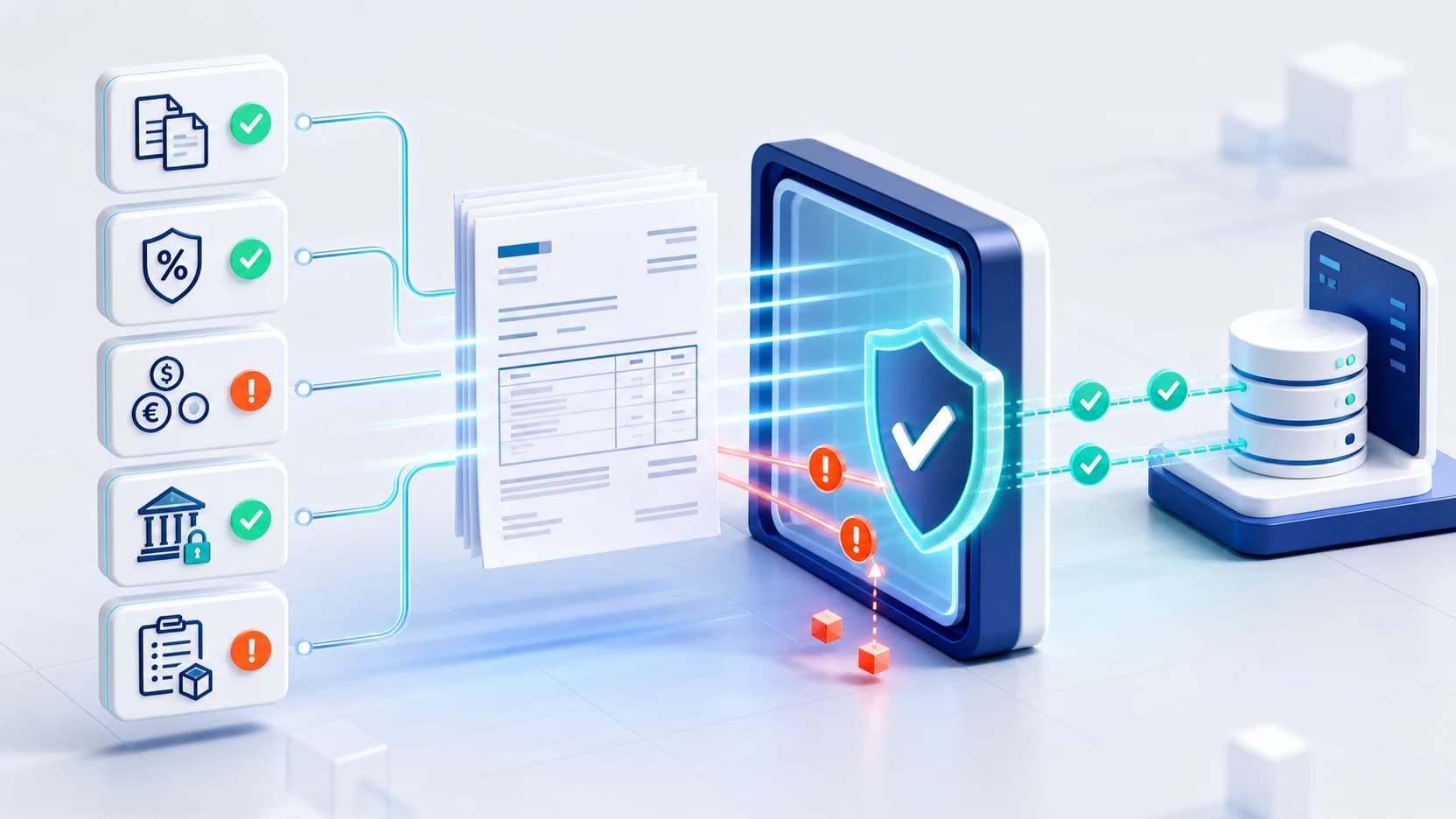
This guide shows how to configure invoice validation rules as a pre-export control layer. You will define the evidence each invoice needs, catch exact and near duplicates, verify financial logic, match operational records, and route uncertain cases to a reviewer. The result is not “touchless at any cost.” It is trusted data that can move quickly when it passes-and stop with a clear reason when it does not.
Key Takeaways
- APQC's median benchmark puts duplicate or erroneous payments at 1.5% of annual disbursements.
- Normalize identifiers before duplicate matching.
- Validate calculations, VAT, currency, supplier, PO, and bank data before export.
- Route ambiguous exceptions to accountable human review.
Before you begin: define the control boundary
Start by deciding exactly where validation sits: after OCR extraction and before any ERP posting, approval release, or payment proposal. That boundary prevents downstream systems from treating unverified values as accounting facts.
What you will need:
- Read access to invoices, PO records, goods receipts, and payment history
- A current supplier master with legal entity, tax ID, status, currency, and approved bank details
- Access to the extraction schema and configurable validation workflow
- A sample of clean invoices, known errors, recurring bills, and duplicates
- Named owners for AP exceptions, vendor-master changes, tax questions, and technical configuration
- Time: one to two working days for an initial rule set; longer for multi-entity testing
- Difficulty: intermediate
First define which failures block export, require review, or remain informational.
Step 1: Build a field-level validation contract
By the end of this step, every extracted field will have a definition, format, source of truth, and failure action. This prevents invoice-by-invoice debates.
- List required header fields: supplier, invoice number and date, currency, net, tax, gross, and legal entity.
- Add conditional fields. PO-based invoices need a PO reference; foreign-currency invoices need the relevant currency and conversion context; credit notes need a document type and reference to the original liability where available.
- Separate format rules from business rules. A valid IBAN format can still fail a supplier-master match.
- Assign one action to every failure: reject, hold for review, warn, or accept and log.
- Show reviewers the source page, extracted value, expected value, and rule name.
Make fields conditionally mandatory instead of making everything universally mandatory. A blanket schema creates noise because an invoice for services may not have a goods receipt, while a goods invoice should.
The EU VAT Directive's Article 226 defines particulars such as dates, unique numbering, party details, amounts, and VAT information; use applicable jurisdictional requirements, not a generic checklist (EUR-Lex, Article 226).
Verify: Select one invoice from each major document class. Every populated field should map to a definition, and every missing or invalid field should produce a predetermined outcome.
Step 2: Validate supplier identity and payment details
By the end of this step, an invoice will proceed only when its supplier links to an approved, active vendor record. This turns OCR output into identity evidence.
- Match on stable identifiers first: tax ID or VAT number, supplier ID, and legal entity. Use legal name and address as supporting signals, not the only keys.
- Normalize names by case, legal suffixes, spacing, and punctuation. Preserve the original value for audit review.
- Check vendor status. Block records marked inactive, blocked, pending onboarding, or subject to an unresolved compliance review.
- Compare currency and payment terms with the master or PO. Route unexpected changes.
- Compare IBAN, account number, and BIC/SWIFT with approved payment details. Block mismatches and protect the reference records with appropriate financial data privacy controls.
Never use invoice content alone to approve a bank-account change. A well-read fraudulent instruction is still fraudulent. Send the change through a separately controlled vendor-master process with independent verification.
N2F likewise separates IBAN-to-supplier checks from amount, VAT, date, and duplicate checks (N2F).
The strongest identity rule uses agreement across independent sources: the document, the supplier master, and prior approved history. Confidence rises when they agree; the invoice should not be allowed to “correct” the other two by itself.
Verify: Test a valid supplier, an inactive supplier, a name variant, and a changed bank account. Only the valid and explainable name-variant cases should pass automatically.
Step 3: Configure layered duplicate invoice detection
By the end of this step, both exact duplicates and OCR-shaped near duplicates will be caught before export. A single invoice-number rule is insufficient because small formatting changes create different database values. When comparing invoice scanning software, check whether duplicate controls extend beyond exact reference matching.
For post-extraction triage, the Documents page can search and filter text and numeric values from extraction results. For example, search an invoice number to locate candidate records, then confirm them against the source documents and configured duplicate rules. Search helps find records; it does not replace duplicate detection.
- Normalize references: uppercase, trim spaces, standardize separators, and create a comparison form without punctuation.
- Block an exact match on supplier, normalized invoice number, and legal entity when the earlier document is not cancelled.
- Compare supplier, amount, currency, and close dates even when references differ.
- Compare supplier, PO, line amount, and document type to catch resubmissions tied to the same obligation.
- Search across closed periods and connected entities, not just the current AP queue.
- Flag OCR confusions such as
I/1andO/0for review, not automatic rejection.
Store both the original invoice number and its normalized comparison key. Reviewers need the original evidence, while the detection engine needs consistent data.
Leading zeros and dashes can make one invoice number look different to an accounting system (AccountingTools). Exact and fuzzy checks should work together.
Treat duplicate detection as an obligation check, not merely a document check. Two files may differ while representing the same payable; conversely, recurring invoices can look similar while representing distinct service periods.
Verify: Replay exact duplicates, punctuation variants, an OCR character substitution, a cross-period duplicate, a credit note, and two legitimate recurring invoices. Confirm the first four stop and the legitimate cases remain distinguishable.
Step 4: Recalculate totals, VAT, and currency
By the end of this step, inconsistent invoices and unsupported tax or currency combinations will be held. High extraction confidence does not prove a total is correct.
- Recalculate quantity times unit price and apply stated discounts, retaining the structure captured when you convert invoice line items.
- Sum line net values and compare them with the header net amount.
- Recalculate VAT by tax base and rate, then compare line tax, header tax, and gross total.
- Validate VAT rate and treatment against the entity, jurisdiction, and tax category.
- Require one consistent invoice currency across header, lines, tax, and totals. Reject unsupported or conflicting currency codes.
- For foreign-currency documents, compare the rate source, rate date, and ledger conversion with company policy.
Use separate absolute and percentage tolerances, with the stricter relevant outcome. A tiny percentage difference can still be material on a large invoice, while a small absolute rounding difference may be harmless on a low-value one.
Invoice tolerances determine whether variances create holds, including tax and exchange-rate controls. Tolerances are explicit policy, not whatever a reviewer accepts.
Verify: Test a correct invoice, a rounding-only variance, a wrong VAT rate, mixed currencies, and a material FX difference. The result must show the calculated value, stated value, tolerance, and hold reason.
Step 5: Match invoices to purchasing evidence
By the end of this step, payment eligibility will depend on evidence that the business ordered and, where relevant, received the purchase. Matching keeps valid-looking totals from bypassing commercial controls.
- Classify invoices as PO-based, non-PO, recurring, or exceptional before choosing a match policy. If one file contains several documents, split the invoice PDF before classification so each payable has its own validation record.
- Use two-way matching when invoice-to-PO comparison is sufficient. Compare supplier, line, quantity, price, tax, and terms.
- Use three-way matching for goods where receipt matters. Compare invoice, PO, and goods receipt before approval.
- Track cumulative billed quantity and value against the PO. This catches multiple individually plausible invoices that together exceed the order.
- Set tolerances by category, supplier risk, and value. Route missing receipts and excess quantities to their operational owner.
- Give non-PO invoices a distinct approval path with contract, service-period, budget, or cost-center evidence.
Do not let a successful PO match suppress duplicate detection. A duplicate invoice may match the same valid order twice, especially with partial deliveries or open-value POs.
Microsoft Dynamics 365 supports two-way and three-way policies with price and quantity tolerances at legal-entity, item, and vendor levels (Microsoft Learn). This supports risk-based configuration.
Verify: Test full receipt, partial receipt, excess quantity, price variance, duplicate billing against one PO, and a valid non-PO invoice. Each exception should reach the correct owner with the relevant records attached.
Step 6: Design human review, export gates, and reconciliation
By the end of this step, uncertain invoices will enter a controlled queue while verified invoices proceed. Human review is a control, not an automation failure.
- Create queues by exception type: supplier identity, duplicate risk, tax, calculation, PO match, bank detail, and missing data.
- Prioritize by payment date, amount, risk, and imminent cash release.
- Show source, extracted, and expected values. Require reasons for corrections and overrides.
- Separate correction authority from approval authority for high-risk exceptions such as bank changes or probable duplicates.
- Permit export only when all blocking rules pass or an authorized override is recorded. For custom integrations, make these gates explicit in the document extraction API workflow.
- Reconcile bank transactions to approved liabilities and references. Apply bank statement data validation, then investigate unmatched and repeated payments.
Every override must retain who decided, what changed, why, and the supporting evidence. Otherwise, the exception queue becomes a bypass lane.
Use reconciliation as feedback, not as the first line of defense. A repeated payment found on a bank statement should create a rule-tuning task upstream, linking the cash event to the intake, duplicate, match, or approval failure that allowed it.
Verify: Trace one clean invoice and one exception from upload to export. Then trace a simulated payment through reconciliation. You should be able to reconstruct each automated decision, correction, approval, and final record.
Common mistakes that weaken AP automation controls
The most common mistake is optimizing straight-through processing before measuring what rules let through. That creates a fast workflow with weak evidence.
Using one global tolerance. The same threshold rarely fits freight, inventory, subscriptions, and professional services. Segment tolerances by risk and value, then review their outcomes.
Treating OCR confidence as business validity. Confidence does not verify tax treatment, uniqueness, supplier status, or receipt. Use it to prioritize review, not to replace controls.
Auto-rejecting every fuzzy duplicate. Similar monthly bills and staged invoices create legitimate matches. Hold probable duplicates with a comparison view and clear reviewer choices.
Checking bank details only for format. A structurally valid IBAN can still be unauthorized. Compare it with approved master data and isolate all change requests.
Allowing undocumented overrides. This creates an invisible tolerance policy. Require reasons, evidence, and appropriate authority.
What successful invoice validation looks like
Success means every export is rule-clean or supported by an authorized exception. Look for fewer duplicate payments, fewer downstream corrections, and clear hold reasons-not merely high automation.
Track these measures together:
- Confirmed duplicate incidents and value before and after payment
- False-positive rate by duplicate rule
- First-pass validation rate and straight-through processing rate
- Exception volume, age, and median resolution time by cause
- Value and count of overrides by reviewer and rule
- Post-export corrections and unmatched bank transactions
A stretch goal is closed-loop tuning: review false positives and escaped errors monthly, adjust one rule at a time, and replay the historical test set before release.
Frequently asked questions
What are invoice validation rules?
Invoice validation rules are automated checks applied after data extraction and before posting or payment. They test required fields, calculations, duplicates, supplier identity, PO matching, tax, currency, and bank details. Failed rules should produce a specific hold or review action.
Which fields should duplicate invoice detection compare?
Start with supplier, normalized invoice number, legal entity, amount, date, currency, and PO reference. Add fuzzy and cross-period comparisons to catch punctuation changes, OCR substitutions, resubmissions, and the same obligation entered through another route.
How should AP teams set invoice matching tolerances?
Use historical approved variances, then segment by invoice class, supplier, category, value, and risk. Test proposed thresholds against known clean and failed invoices. Avoid copying a percentage from vendor documentation as if it were a universal benchmark.
Can OCR confidence replace invoice validation?
No. OCR confidence indicates certainty about the extracted text, not whether the underlying invoice is correct, unique, authorized, or compliant. A high-confidence wrong bank account or duplicate invoice still requires a business rule to stop it.
Where does bank statement reconciliation automation fit?
It is a detective control after payment. Automated reconciliation matches bank transactions to approved invoices and payment references, exposing unmatched or repeated disbursements. Pre-export validation should prevent errors first; reconciliation should confirm the outcome and improve upstream rules.
Conclusion
Effective invoice validation rules create a chain of evidence from extracted fields to supplier identity, duplicate history, financial logic, purchasing records, and payment controls. Configure that chain before export, tune it with real exceptions, and keep human judgment where ambiguity carries financial risk. Suparse combines configurable validation rules with human-in-the-loop review so raw OCR becomes trusted, export-ready data-not a faster route for AP errors.
Turn extracted invoice data into trusted AP data
Test configurable validation and human review on your own documents before bad data reaches your ERP.
Try Free - No Credit Card RequiredFrequently Asked Questions
What are invoice validation rules?
Invoice validation rules are automated checks applied after extraction and before posting or payment. They test required fields, calculations, duplicates, supplier identity, purchase-order matching, tax, currency, and bank details, then route failures for review.
Can I search extracted invoice values to find possible duplicates?
On the Documents page, you can search and filter extracted text and numbers. Terms need at least three consecutive letters or numbers and can be up to 200 characters. Optional case-sensitive matching is available; * matches any number of characters and ? matches one. Use matches to find candidate records for review, then apply your duplicate controls. Search itself is not a duplicate-detection rule.
Which fields should duplicate invoice detection compare?
Start with supplier, normalized invoice number, legal entity, amount, date, currency, and PO reference. Add fuzzy comparisons and cross-period history so punctuation changes, OCR substitutions, and resubmissions do not bypass exact matching.
How should AP teams set invoice matching tolerances?
Set tolerances from actual approved variance patterns, segmented by invoice type, supplier, category, and value. Test them against historical invoices, then tune for both missed errors and false-positive holds rather than copying one global percentage.
Can OCR confidence replace invoice validation?
No. OCR confidence estimates how certain extraction is, not whether an invoice is legitimate, mathematically correct, unique, tax-compliant, or payable. Confidence should help route review, while business rules determine whether data can proceed.
Where does bank statement reconciliation automation fit?
It is a detective control after payment. Automated reconciliation matches bank transactions to approved invoices and payment references, exposing unmatched or repeated disbursements, while pre-export validation remains the primary preventive layer.
Michal Raczy
Michal is the founder of Suparse.com. He has over 15 years of experience in delivering projects in data analysis, automation, and document processing. Michal solves complex automation and AI implementation challenges for both SMEs and large corporations, with a particular focus on document processing. Contact at michal@suparse.com.