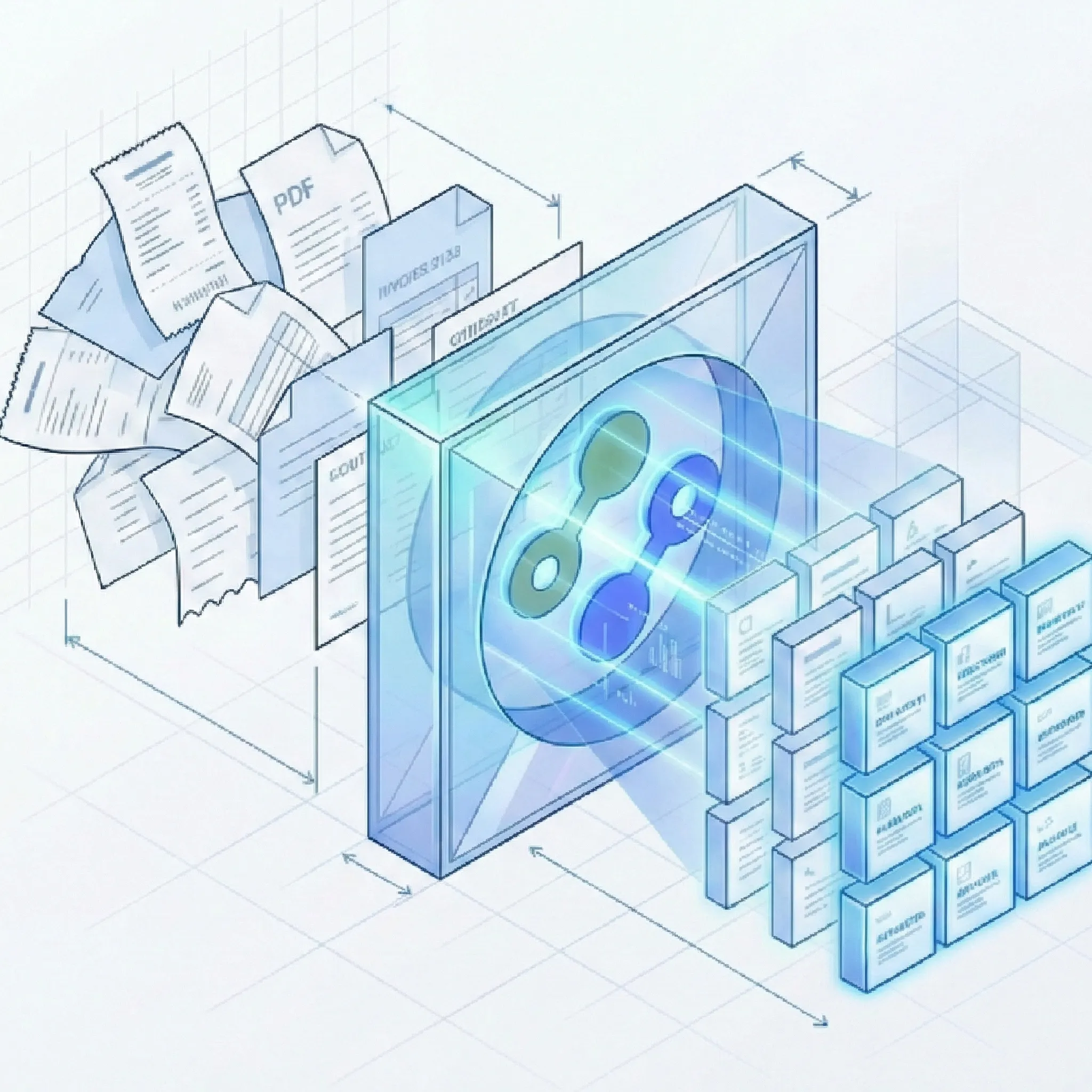
Docparser is a mature zonal-OCR parser with a strong Zapier ecosystem for stable, English-only layouts. Suparse is a template-free AI extraction platform with pre-built schemas, 100+ language support, built-in validation checks, and Python and TypeScript SDKs.
Python and TypeScript SDKs
Template-free extraction
100+ languages
50 free page credits
Quick Summary
Criteria
Suparse
Docparser
Best for
Teams processing invoices, bank statements, receipts, and logistics documents from many vendors in multiple languages who want template-free extraction with built-in validation.
Operations teams with a small, stable set of English document layouts who want zone-based extraction and already use Zapier or Power Automate for downstream routing.
Pricing model
Per page, monthly subscription. Starts at $11/month for 100 pages.
Per document (1 credit = up to 5 pages), monthly subscription. Starts at $39/month for 100 documents.
Free trial
50 free page credits, no credit card, no time limit.
21-day free trial, no credit card.
Time to first extraction
Under 60 seconds. Pre-trained models for 10+ document types, no setup.
Hours per new layout. Must create a parsing template with zones before any data is extracted.
SDK
Python SDK and TypeScript SDK, plus REST API.
REST API and webhooks only. No native SDK.
Schema flexibility
Pre-built schemas for 10+ document types. AI Schema Generator for custom documents. Edit schemas in UI with plain English.
Build parsing rules per layout using zonal OCR and keyword anchors. SmartAI Parser can generate rules from one sample, but requires manual refinement.
Template requirements
None. Zero-shot template-free extraction.
Required. Every unique document layout needs its own template with zones and rules.
Deployment model
Cloud SaaS with VPC/on-premise option.
Cloud SaaS only.
Setup complexity
Self-service, no implementation services required.
Self-service, but requires technical knowledge of zonal OCR, keyword anchors, and filter creation.
Review workflow
Built-in human-in-the-loop review UI with side-by-side document view and update-in-place editing.
Basic validation UI with an Excel-like data review interface.
Export options
Excel, CSV, JSON, QBO, IIF, Google Sheets, Xero-compatible CSV.
JSON, CSV, Excel. Routes through Zapier or REST API for downstream systems.
Team access
Unlimited user seats with every subscription, full audit trail.
Team collaboration on Professional plan and above. Limited role-based permissions.
Full Feature Comparison
Every row shows whether the capability is directly supported, partially available, or not available. Check notes for details.
Capability
Suparse
Docparser
Structured JSON output
Structured JSON via API and UI, plus CSV, Excel, QBO, IIF, and Google Sheets.
JSON, CSV, and Excel output. Routes through Zapier or REST API for downstream systems.
Invoice and receipt presets
Pre-trained models for invoices and receipts with zero setup. Line items, totals, vendor details extracted automatically.
Has featured parser templates for invoices, but each vendor layout requires its own template with zone configuration.
Bank statement support
Pre-trained model with transaction-level extraction and built-in reconciliation check.
Can parse bank statements if you build a template. No built-in reconciliation check.
Tax form and financial document support
Pre-trained models for tax forms (W-2, 1099), checks, and energy bills with box-specific field extraction.
Generic parser - you can create templates for tax forms, but there are no pre-built financial document models.
Custom document schemas
AI Schema Generator creates extraction schemas from a single sample document. Editable in UI with plain English.
SmartAI Parser can generate extraction rules from a sample. Custom fields via rule wizard. Requires manual refinement.
Template-free zero-shot extraction
Fully template-free. AI extracts data from any document layout without prior configuration.
Core architecture is template-based. SmartAI Parser reduces setup effort but still relies on rules and zones.
No model training required
Zero-shot extraction. No labeled samples, no training step, no waiting.
No model training required, but template creation with zone drawing and rule configuration is needed per layout.
Automatic adaptation to layout changes
AI adapts automatically when vendors change invoice or document layouts.
Layout changes break templates. Each vendor format update requires manual template adjustments.
Handwriting recognition in 100+ languages
State-of-the-art handwriting recognition across 100+ languages including non-Latin scripts.
Basic handwriting support in limited languages. Not designed for handwritten document workflows.
Scanned and degraded document support
Handles low-quality scans, faxes, skewed mobile photos, dot-matrix prints, and rotated documents.
Can process scanned PDFs and images, but zone-based mapping depends on precise positioning. Crooked or shifted scans cause extraction failures.
Complex table extraction
AI handles borderless, nested, variable-row, and multi-page tables without fixed zones.
Table extraction via fixed zones. Variable row counts can overflow zones and miss data. Complex tables require elaborate multi-zone setups.
Automatic document classification
Auto-detects document type and assigns the correct extraction schema within a batch.
No automatic document classification. Documents must be routed to the correct parser manually or via external logic.
Automatic multi-document PDF splitting
Splits multi-document PDFs into individual records and classifies each automatically. No additional splitting fee; standard extraction page charges apply.
No automatic multi-document PDF splitting. Each document must be separated before uploading.
Long document auto-chunking
Auto-chunking supports long, multi-page documents without manual splitting.
Default page cap is 30 pages (50 max), with a 20 MB file size limit. Long documents may require manual splitting.
Python SDK
Full Python SDK for REST API integration with documentation.
REST API only. No native Python SDK.
TypeScript SDK
Full TypeScript SDK for REST API integration with documentation.
REST API only. No native TypeScript SDK.
CLI tool
Available via SDK programmatic access. Dedicated CLI not documented.
No CLI tool available.
REST API
Full REST API with upload, status polling, result retrieval, and bulk operations.
REST API available on all plans with webhook support for automated workflows.
Self-service signup
Sign up and buy online. No sales call required.
Self-service for Starter, Professional, and Business plans. Enterprise features require sales contact.
Under 60 seconds to first extraction
Upload a document, select a pre-trained model, get extracted data immediately.
First extraction requires building a parsing template with zones and rules. Typically hours per new layout.
50 free page credits with no credit card
50 free page credits, no credit card, no time limit.
21-day time-limited free trial. No perpetual free plan.
Month-to-month subscription
Monthly billing with no lock-in. Lower pricing available for yearly commitment.
Not built in. Docparser parses, it does not validate financial consistency.
Invoice self-consistency checks
Validates subtotal + tax = total and sum of line items = subtotal before export.
Not built in. No mathematical validation of extracted invoice totals.
Human review workflow
Built-in review, edit, and approval workflow with team collaboration.
Data review interface available but not a structured approval workflow.
Export to Excel, CSV, JSON, QBO, and IIF
Excel, CSV, JSON, QBO (QuickBooks Online), IIF (QuickBooks Desktop), Xero-compatible CSV, and Google Sheets.
JSON, CSV, and Excel export. No QBO, IIF, or accounting-native formats. Routes through Zapier for downstream accounting systems.
Cloud SaaS with VPC/on-premise option
Cloud-native SaaS with VPC/on-premise deployment option for controlled environments.
Cloud SaaS only. No on-premise or VPC deployment option.
EU hosting
EU-hosted infrastructure for GDPR and data sovereignty requirements.
US-hosted. EU data protection compliance via Standard Contractual Clauses only.
No customer data used for model training
Customer data is never used to train AI models. Explicit policy with zero-retention option available.
Customer data is not used for model training. Configurable retention (0-180 days depending on plan).
Zero-retention option
Customers can choose zero-retention configuration where data is deleted after processing.
Configurable retention period. Shortest retention available depends on plan tier.
GDPR compliance
Full GDPR compliance with EU hosting and DPA available.
GDPR compliant via Standard Contractual Clauses. US-hosted.
Email and live chat support
Email and live chat support available.
Email support and documentation. Priority support on Business and Enterprise tiers.
No ecosystem lock-in
Platform-agnostic. No dependency on specific cloud provider, automation tool, or ecosystem.
Works with Zapier, Make, Power Automate, and REST API. Not locked to a specific cloud, but integration routing depends on third-party automation platforms.
Pricing transparency
Current USD pricing: $11/month for 100 pages, $19/month for 250 pages, and $76/month or $828/year for 1,000 pages. The annual 10,000-page tier works out to about $36 per 1,000 pages/month. Self-service purchase.
Published pricing: $39/month for 100 documents, $74/month for 250 documents, $159/month for 1,000 documents. Enterprise pricing requires sales contact.
Multi-language support
100+ languages including Chinese, Arabic, Cyrillic, Japanese, and other non-Latin scripts.
English only. No multi-language extraction support.
Zapier, Make, or Power Automate connectors
Not currently available. Integration via REST API and SDKs.
1,500+ integrations via Zapier, Make, Power Automate, Workato, and Salesforce.
Native webhooks
Send extracted results to your HTTPS endpoint when processing completes. Subscribe by document template and upload source to connect your systems and workflows.
Webhook support for automated downstream workflows.
Logistics document support (AWB, BOL, Delivery Note)
Pre-trained models for Air Waybills, Bills of Lading, and Delivery Notes with industry-specific fields.
Can parse shipping documents if you build templates. No pre-built logistics document models.
Ready to compare Suparse on your own documents?
Upload real invoices, receipts, bank statements, or custom documents and inspect the output before committing.
Suparse and Docparser solve different problems. Here is where the gap is widest.
From email intake to your connected workflow
Forward emails to a dedicated Suparse address and extract data from attachments, the email body, or both. Use a specific document type or Email Autopilot, with unmatched documents sent to review without automatically creating new types.
Send extraction results to your application or workflow by webhook. Subscribe by document template and upload source to route the right data to the right system. Document splitting has no additional cost; standard extraction page charges apply.
Template-free extraction vs zonal OCR rules
Docparser's core architecture is zonal OCR: you draw boxes on a template to define extraction regions, and the system extracts whatever falls inside those pixel coordinates. When a vendor moves a field, rotates a page, or changes a table structure, the zones break and extraction fails silently. Every unique document layout requires its own template, and maintaining hundreds of templates becomes a job in itself. Other template-based tools like Parsio share this limitation.
Suparse uses zero-shot AI extraction. Define what you want extracted - invoice number, line items, total - and the AI finds it regardless of where it appears on the page. No zones, no coordinates, no templates to maintain when layouts change. Pre-trained models for 10+ document types mean most teams start extracting immediately without any configuration.
Pre-built document models vs build-from-scratch
Docparser is a generic PDF parser. It does not ship with pre-built models for invoices, bank statements, or receipts. You build a parsing template for each document type, draw zones around each field, test, iterate, and debug. Setting up a new document type takes hours to days depending on complexity.
Suparse ships with pre-trained models for invoices, receipts, bank statements, checks, tax forms, purchase orders, quotes, AWBs, bills of lading, delivery notes, resumes, medical prescriptions, and energy bills. Upload a document, select the model, get extracted data. For document types not covered, the AI Schema Generator creates a custom schema from a single sample.
Built-in financial validation
Docparser parses data. It does not validate it. There is no invoice self-consistency check (subtotal + tax = total) and no bank statement reconciliation (opening + transactions = closing). Bad data passes through to export without flags.
Suparse runs mathematical validation before data leaves the platform. Every invoice is checked for subtotal-tax-total consistency. Every bank statement is reconciled against its printed opening and closing balance. Discrepancies are surfaced in the review UI so operators catch errors before they reach accounting systems.
100+ languages vs English-only
Docparser supports English only. If your workflows involve invoices from German suppliers, bank statements from French banks, or shipping documents with Arabic text, Docparser cannot process them.
Suparse supports 100+ languages including Chinese, Arabic, Cyrillic, Japanese, and other non-Latin scripts. Handwriting recognition works across the same language set. Multi-language documents are handled without separate configurations.
SDK-first developer experience
Docparser offers a REST API and webhooks. There is no native Python SDK or TypeScript SDK. Developers must write HTTP client code from scratch or use generic API libraries.
Suparse provides a Python SDK and a TypeScript SDK alongside the REST API. Both ship with typed models, documentation, and code examples. For teams integrating document extraction into applications or data pipelines, the SDKs reduce integration time from days to hours.
Docparser charges per document (1 credit = up to 5 pages). At scale with multi-page documents, the per-page cost varies depending on document length. Multi-layout support - the ability to process different document versions in one parser - is locked behind the Business plan at $159/month. For a spreadsheet-first extraction alternative, our Lido comparison covers a platform built for ops teams.
Suparse charges per page with transparent, published pricing: $11/month for 100 pages, with Business from $36 per 1,000 pages/month with annual billing on the 10,000-page plan. Every plan includes unlimited user seats, all document types, and the full feature set. No feature gates based on plan tier.
When Docparser Is the Better Choice
Docparser has been a reliable tool since 2014 and is genuinely strong for specific workflows. Here is where it wins.
You have a small, stable set of fixed document layouts (under 20) that rarely change, and you want deterministic zone-based extraction with per-field precision.
You are already invested in the Zapier, Make, or Power Automate ecosystem and need 1,500+ pre-built integration connectors for downstream routing. Parsio and Parseur offer similar no-code connector ecosystems.
You process English-only documents and do not need multi-language or handwriting support.
You have technical resources on staff who are comfortable building and maintaining zonal OCR templates, keyword anchors, and pattern-matching rules.
Frequently Asked Questions
Is Suparse cheaper than Docparser?
On entry price, yes. Suparse starts at $11/month for 100 pages versus Docparser at $39/month for 100 documents. For higher-volume use, Suparse can be as low as $36 per 1,000 pages/month with annual billing on the 10,000-page plan, versus Docparser at $159/month for 1,000 documents. The gap widens further when you account for the time cost of building and maintaining Docparser templates for each document layout.
Can I migrate from Docparser to Suparse?
Yes. Because Suparse is template-free, there are no templates to recreate. Upload your existing documents into Suparse, select the appropriate pre-trained model or create a custom schema with the AI Schema Generator, and compare the extraction output. Most teams validate results within their first session.
Does Suparse support the same document types as Docparser?
Suparse provides pre-trained models for 13+ document types (invoices, receipts, bank statements, checks, tax forms, purchase orders, quotes, AWBs, bills of lading, delivery notes, resumes, medical prescriptions, energy bills) and supports any custom document type via AI Schema Generator. Docparser is a generic parser - it can handle any document type, but you must build a parsing template with zones and rules for each one before extraction starts.
How does Suparse handle data privacy and GDPR?
Suparse is hosted in the EU with full GDPR compliance. Customer data is never used to train AI models. Users control data lifecycle with instant deletion and a zero-retention configuration option. A Data Processing Agreement (DPA) is available.
Does Suparse work without a Zapier or Make account?
Yes. Suparse is a standalone platform. You can upload documents in the web UI, review and edit extracted data, and export to Excel, CSV, JSON, QBO, or IIF without any third-party automation tool. For programmatic integration, use the REST API, Python SDK, or TypeScript SDK.
What languages does the Suparse SDK support?
The Suparse SDK is available for Python and TypeScript (JavaScript). Both SDKs provide typed models, full REST API coverage, and documentation. The platform's OCR engine supports 100+ languages for document extraction, including non-Latin scripts like Chinese, Arabic, Cyrillic, and Japanese.
Try Suparse on your own documents
Use real documents to compare extraction quality, review effort, and export readiness.