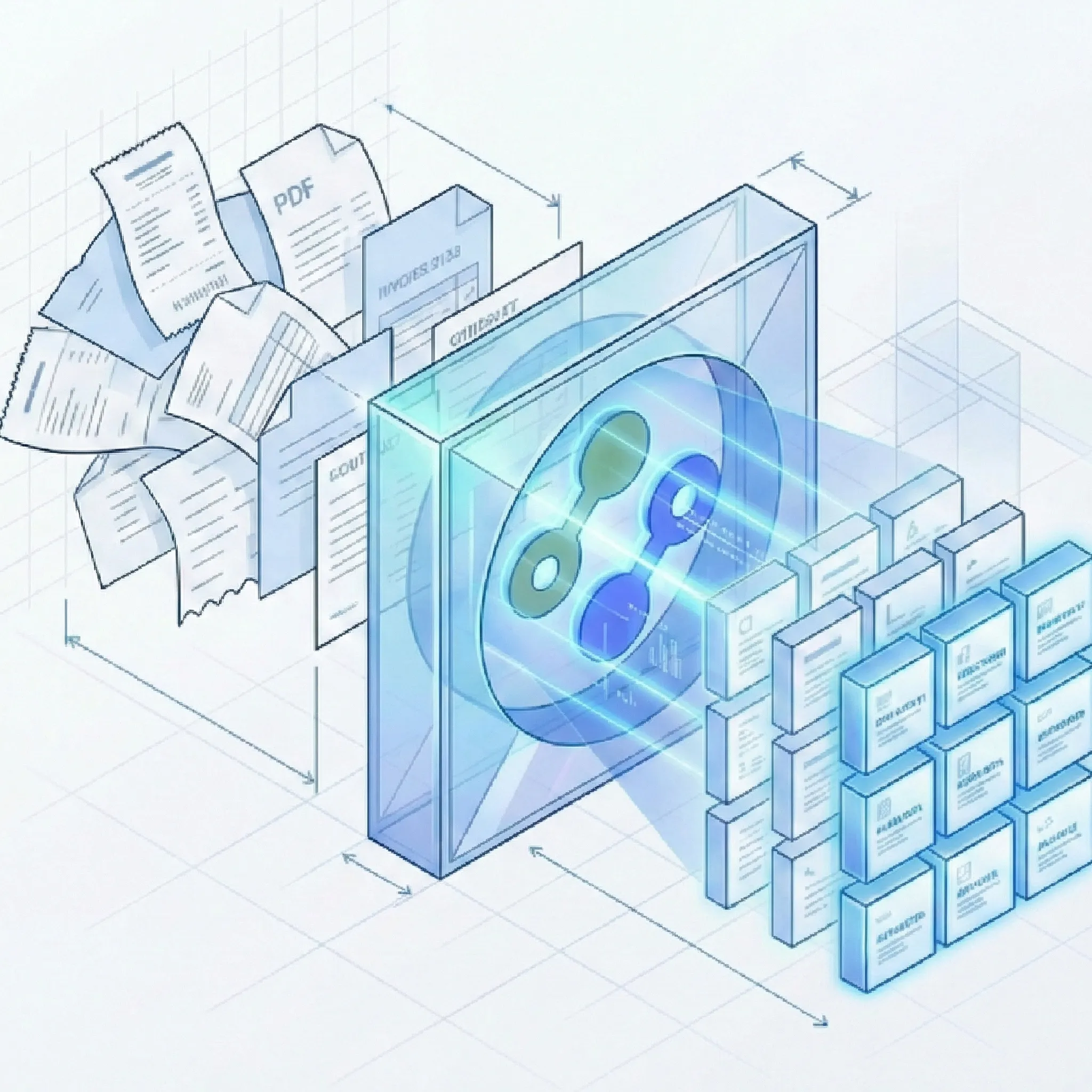
Lido is a spreadsheet-first data automation platform with AI extraction for ops teams who live in Excel and Google Sheets. Suparse is a template-free AI extraction platform with pre-built schemas for 13+ document types, built-in financial validation, 100+ language support, Python and TypeScript SDKs, and export-ready formats including QBO and IIF.
Python and TypeScript SDKs
Template-free extraction
100+ languages
50 free page credits
Quick Summary
Criteria
Suparse
Lido
Best for
Finance, operations, and developer teams processing invoices, bank statements, receipts, logistics documents, and custom PDFs who need structured extraction with built-in validation and accounting-ready exports.
Operations teams who live in spreadsheets and want AI extraction as one feature inside a broader data automation platform with dashboards, imports, and custom apps.
Pricing model
Per page, monthly subscription. Starts at $11/month for 100 pages.
Per page, monthly subscription. Starts at $29/month for 100 pages (50 free pages included). Scales to ~$7,000/year on Scale and ~$30,000/year on Enterprise.
Free trial
50 free page credits, no credit card, no time limit.
50 free page credits, then $29/month. No separate time-limited trial.
Time to first extraction
Under 60 seconds. Pre-trained models for 13+ document types, no setup.
Minutes. Template-free extraction with prompt-based configuration, but generic - no pre-built document models for specific types.
SDK
Python SDK and TypeScript SDK, plus REST API.
REST API only. No native Python or TypeScript SDK.
Schema flexibility
Pre-built schemas for 13+ document types. AI Schema Generator for custom documents. Edit schemas in UI with plain English.
Prompt-based field extraction mapped to spreadsheet columns. Define which fields go in which columns; Lido fills in the cells.
Template requirements
None. Zero-shot template-free extraction.
None. Lido also positions itself as template-free, no-training extraction.
Deployment model
Cloud SaaS with VPC/on-premise option.
Cloud SaaS only. No on-premise or VPC option documented.
Setup complexity
Self-service, no implementation services required.
Self-service. Extraction sits inside a broader spreadsheet platform with dashboards, imports, and apps.
Review workflow
Built-in human-in-the-loop review UI with side-by-side document view and update-in-place editing.
Validation before export. Review data in a spreadsheet interface.
Export options
Excel, CSV, JSON, QBO, IIF, Xero-compatible CSV, Google Sheets.
Google Sheets, Excel, CSV, API. No QBO, IIF, or accounting-native formats.
Team access
Unlimited user seats with every subscription, full audit trail.
Workspace built around sheets. Shared workspace with team collaboration.
Full Feature Comparison
Every row shows whether the capability is directly supported, partially available, or not available. Check notes for details.
Capability
Suparse
Lido
Structured JSON output
Structured JSON via API and UI, plus CSV, Excel, QBO, IIF, Xero-compatible CSV, and Google Sheets.
API output available, but Lido's primary format is spreadsheet (Google Sheets, Excel, CSV). JSON is not the native output model.
Invoice and receipt presets
Pre-trained models for invoices and receipts with zero setup. Line items, totals, vendor details extracted automatically.
Generic AI extraction handles invoices and receipts via prompts, but there are no pre-trained models tuned to invoice or receipt layouts.
Bank statement support
Pre-trained model with transaction-level extraction and built-in reconciliation check.
Can extract bank statement data via generic AI, but no models tuned to bank statement layouts and no reconciliation checks.
Tax form and financial document support
Pre-trained models for tax forms (W-2, 1099), checks, and energy bills with box-specific field extraction.
Generic extractor can handle tax forms via prompts, but no pre-built models for tax forms, checks, or energy bills.
Custom document schemas
AI Schema Generator creates extraction schemas from a single sample document. Editable in UI with plain English.
Prompt-based extraction for any document type. Fields mapped to spreadsheet columns. Define what you want extracted via prompts.
Template-free zero-shot extraction
Fully template-free. AI extracts data from any document layout without prior configuration.
Lido also positions itself as template-free, no-training extraction. Both platforms share this approach.
No model training required
Zero-shot extraction. No labeled samples, no training step, no waiting.
No model training required. Prompt-based extraction works out of the box.
Automatic adaptation to layout changes
AI adapts automatically when vendors change invoice or document layouts.
Template-free AI extraction adapts to layout changes without manual reconfiguration.
Handwriting recognition in 100+ languages
State-of-the-art handwriting recognition across 100+ languages including non-Latin scripts.
AI vision model may handle some handwriting, but no documented handwriting recognition capabilities or multi-language handwriting support.
Scanned and degraded document support
Handles low-quality scans, faxes, skewed mobile photos, dot-matrix prints, and rotated documents.
Can process scanned PDFs and images through AI vision. Quality handling for degraded documents is not specifically documented.
Complex table extraction
AI handles borderless, nested, variable-row, and multi-page tables without fixed zones.
Generic AI extraction can capture table data, but complex table structures may require prompt refinement and manual review.
Automatic document classification
Auto-detects document type and assigns the correct extraction schema within a batch.
No automatic document classification. Users configure extraction prompts per document type.
Automatic multi-document PDF splitting
Splits multi-document PDFs into individual records and classifies each automatically. No additional splitting fee; standard extraction page charges apply.
No documented multi-document PDF splitting capability.
Long document auto-chunking
Auto-chunking supports long, multi-page documents without manual splitting.
AI vision model processes documents but specific auto-chunking or very long document handling is not documented.
Python SDK
Full Python SDK for REST API integration with documentation.
REST API only. No native Python SDK.
TypeScript SDK
Full TypeScript SDK for REST API integration with documentation.
REST API only. No native TypeScript SDK.
CLI tool
Available via SDK programmatic access. Dedicated CLI not documented.
No CLI tool available.
REST API
Full REST API with upload, status polling, result retrieval, and bulk operations.
REST API available for programmatic access to extraction results.
Self-service signup
Sign up and buy online. No sales call required.
Self-service signup. 50 free pages included on entry plan.
Under 60 seconds to first extraction
Upload a document, select a pre-trained model, get extracted data immediately.
Template-free extraction means fast setup. Upload a document, configure prompts, get results.
50 free page credits with no credit card
50 free page credits, no credit card, no time limit.
50 free pages included with entry plan. Then $29/month.
Month-to-month subscription
Monthly billing with no lock-in. Lower pricing available for yearly commitment.
Monthly billing available. Scale and Enterprise tiers have annual commitments.
No setup or implementation fee
No setup fee. Onboarding call included. Optional consulting available.
No setup fee. Self-service platform.
Unlimited user seats
Unlimited seats included with every subscription plan.
Shared workspace with team collaboration. Seat and permission details vary by plan tier.
Full audit trail for edits and extractions
Full audit trail for every extraction and user edit, including who changed what and when.
Workspace provides some tracking. Full user-level edit audit trail not documented.
Multi-page PDF support
Full support for multi-page PDFs with auto-chunking.
Supports multi-page PDFs through AI vision extraction.
Batch processing
Drag-and-drop hundreds of documents at once. Parallel processing.
Folder watching and inbox monitoring allow automated processing. Bulk upload details not specifically documented.
Human-in-the-loop review UI
Side-by-side review interface with update-in-place editing for correcting extraction results.
Validation before export. Data reviewed in a spreadsheet interface rather than a dedicated side-by-side document view.
Not built in. Lido extracts data but does not validate financial consistency against printed balances.
Invoice self-consistency checks
Validates subtotal + tax = total and sum of line items = subtotal before export.
Not built in. No mathematical validation of extracted invoice totals.
Human review workflow
Built-in review, edit, and approval workflow with team collaboration.
Validation step before export. Not a structured approval workflow with side-by-side document comparison.
Export to Excel, CSV, JSON, QBO, and IIF
Excel, CSV, JSON, QBO (QuickBooks Online), IIF (QuickBooks Desktop), Xero-compatible CSV, and Google Sheets.
Google Sheets, Excel, CSV, and API. No QBO, IIF, OFX, QFX, or accounting-native formats.
Cloud SaaS with VPC/on-premise option
Cloud-native SaaS with VPC/on-premise deployment option for controlled environments.
Cloud SaaS only. No on-premise or VPC deployment option documented.
EU hosting
EU-hosted infrastructure for GDPR and data sovereignty requirements.
SOC 2 Type II and HIPAA compliant. EU hosting and data residency details not specifically documented.
No customer data used for model training
Customer data is never used to train AI models. Explicit policy with zero-retention option available.
Customer data not used for model training. Auto-deletes documents after 23 hours.
Zero-retention option
Customers can choose zero-retention configuration where data is deleted after processing.
Auto-deletes documents after 23 hours. Configurable retention beyond that depends on plan tier.
GDPR compliance
Full GDPR compliance with EU hosting and DPA available.
SOC 2 Type II and HIPAA compliant. GDPR compliance and EU data residency not specifically detailed.
Email and live chat support
Email and live chat support available.
Support channels not fully documented. Enterprise tier likely includes dedicated support.
No ecosystem lock-in
Platform-agnostic. No dependency on specific cloud provider, automation tool, or ecosystem.
Spreadsheet-first platform. Output flows into Google Sheets and Excel natively. Teams heavily invested in the Lido workspace ecosystem build dependencies on its dashboards, apps, and automations.
Pricing transparency
Current USD pricing: $11/month for 100 pages, $19/month for 250 pages, and $76/month or $828/year for 1,000 pages. The annual 10,000-page tier works out to about $36 per 1,000 pages/month. Self-service purchase.
Published pricing: $29/month for 100 pages. Scale ($7,000/year) and Enterprise ($30,000/year) require sales contact.
Multi-language support
100+ languages including Chinese, Arabic, Cyrillic, Japanese, and other non-Latin scripts.
AI vision model may handle some languages. Specific multi-language extraction support and language count not documented.
Logistics document support (AWB, BOL, Delivery Note)
Pre-trained models for Air Waybills, Bills of Lading, and Delivery Notes with industry-specific fields.
Generic extractor can handle shipping documents via prompts. No pre-built logistics document models.
Ready to compare Suparse on your own documents?
Upload real invoices, receipts, bank statements, or custom documents and inspect the output before committing.
Both platforms are template-free. The gap shows up in document coverage, financial validation, developer tooling, and export readiness.
From email intake to your connected workflow
Forward emails to a dedicated Suparse address and extract data from attachments, the email body, or both. Use a specific document type or Email Autopilot, with unmatched documents sent to review without automatically creating new types.
Send extraction results to your application or workflow by webhook. Subscribe by document template and upload source to route the right data to the right system. Document splitting has no additional cost; standard extraction page charges apply.
Pre-built document models vs generic extraction
Lido is a horizontal platform. It extracts data from any document via AI prompts, but it does not ship with pre-trained models for specific document types. Every new extraction is configured from scratch: define your fields, map them to spreadsheet columns, and review. The AI is general-purpose and not tuned to invoice layouts, bank statement transaction tables, or logistics document fields. For a similar template-free approach with stronger financial document tuning, our Docsumo comparison covers a platform focused on financial services workflows.
Suparse ships with pre-trained models for 13+ document types: invoices, receipts, bank statements, checks, tax forms, purchase orders, quotes, air waybills, bills of lading, delivery notes, resumes, medical prescriptions, and energy bills. Upload a document, select the model, and get structured output with industry-specific fields. For types not covered, the AI Schema Generator creates a custom schema from one sample.
Built-in financial validation vs raw extraction
Lido extracts data and delivers it to spreadsheets. It does not check whether the numbers make sense. An invoice where subtotal + tax does not equal total passes through without a flag. A bank statement where opening balance + transactions does not match closing balance exports cleanly. The validation burden lands on whoever reviews the spreadsheet.
Suparse runs mathematical validation before data leaves the platform. Every invoice is checked for subtotal-tax-total consistency. Every bank statement is reconciled against its printed opening and closing balance. Discrepancies are surfaced in the review UI so operators catch errors before they reach accounting systems.
Accounting-ready exports vs spreadsheet output
Lido outputs to Google Sheets, Excel, CSV, and API. If your end goal is QuickBooks, Xero, or Sage, you still need to manually move data from the spreadsheet into your accounting system. QBO, IIF, OFX, and QFX formats are not supported. For teams that need direct accounting exports, our DocuClipper comparison covers a platform with native QuickBooks and Xero push.
Suparse exports directly to QBO (QuickBooks Online), IIF (QuickBooks Desktop), Xero-compatible CSV, and Google Sheets, alongside Excel, CSV, and JSON. For accounting teams, this eliminates the spreadsheet-to-accounting manual step that Lido leaves to you.
SDK-first developer experience vs API-only
Lido offers a REST API for programmatic access. There is no native Python SDK or TypeScript SDK. Developers working with Lido's API must write HTTP client code from scratch or use generic API libraries, and parse the response into their own data structures.
Suparse provides a Python SDK and a TypeScript SDK alongside the REST API. Both ship with typed models, documentation, and code examples. For teams integrating document extraction into applications or data pipelines, the SDKs reduce integration time from days to hours.
Lido starts at $29/month for 100 pages and scales to roughly $7,000/year on Scale and $30,000/year on Enterprise. Extraction is one feature inside a broader spreadsheet automation platform that includes dashboards, imports, and custom apps - capabilities that finance teams focused on document processing may not need but still pay for.
Suparse starts at $11/month for 100 pages, while Business starts from $36 per 1,000 pages/month with annual billing on the 10,000-page plan. Every plan includes unlimited user seats, all document types, and the full feature set. You pay for document extraction, not a suite of spreadsheet tools.
When Lido Is the Better Choice
Lido is a capable platform with real strengths. Here is where it makes more sense than Suparse. For another template-free extraction comparison focused on operations teams, see Suparse vs Docparser.
Your team lives in spreadsheets and your workflow genuinely ends with reviewed data in Google Sheets or Excel - not in QuickBooks, Xero, or an ERP.
You need extraction as one feature inside a broader platform that also handles imports, dashboards, custom apps, and form filling from extracted data.
You process fewer than 50 pages per month and do not need reconciliation checks, accounting-native exports, or structured JSON output.
You want automatic document deletion within 24 hours for compliance-sensitive workflows and do not need configurable retention periods.
You are an ops team without developer resources who wants a no-code spreadsheet interface rather than an API-first or SDK-first product.
Frequently Asked Questions
Is Suparse cheaper than Lido?
Yes on entry price. Suparse starts at $11/month for 100 pages versus Lido at $29/month for 100 pages. Suparse can be as low as $36 per 1,000 pages/month with annual billing on the 10,000-page plan. Lido's Scale tier runs roughly $7,000/year. The cost difference widens when you factor in the time saved by Suparse's pre-trained models and built-in validation, which reduce manual review and re-export effort.
Can I migrate from Lido to Suparse?
Yes. Both platforms are template-free, so there are no templates or training sets to migrate. Upload your existing documents into Suparse, select the appropriate pre-trained model or create a custom schema with the AI Schema Generator, and compare extraction output side by side. Most teams validate results within their first session.
Does Suparse support the same document types as Lido?
Both handle any document type via AI extraction. The difference is depth. Suparse provides pre-trained models for 13+ specific document types (invoices, receipts, bank statements, checks, tax forms, purchase orders, quotes, AWBs, bills of lading, delivery notes, resumes, medical prescriptions, energy bills) with industry-specific fields built in. Lido uses generic AI prompts for all document types - it works, but there are no pre-tuned models for specific layouts.
How does Suparse handle data privacy and GDPR?
Suparse is hosted in the EU with full GDPR compliance. Customer data is never used to train AI models. Users control data lifecycle with instant deletion and a zero-retention configuration option. A Data Processing Agreement (DPA) is available.
Does Suparse work without a Google Sheets or Excel dependency?
Yes. Suparse is a standalone extraction platform. You can upload documents in the web UI, review and edit extracted data in the side-by-side interface, and export to JSON, CSV, Excel, QBO, IIF, Xero-compatible CSV, or Google Sheets. No spreadsheet dependency is required for the core workflow. For programmatic integration, use the REST API, Python SDK, or TypeScript SDK.
What languages does the Suparse SDK support?
The Suparse SDK is available for Python and TypeScript (JavaScript). Both SDKs provide typed models, full REST API coverage, and documentation. The platform's OCR engine supports 100+ languages for document extraction, including non-Latin scripts like Chinese, Arabic, Cyrillic, and Japanese.
Try Suparse on your own documents
Use real documents to compare extraction quality, review effort, and export readiness.